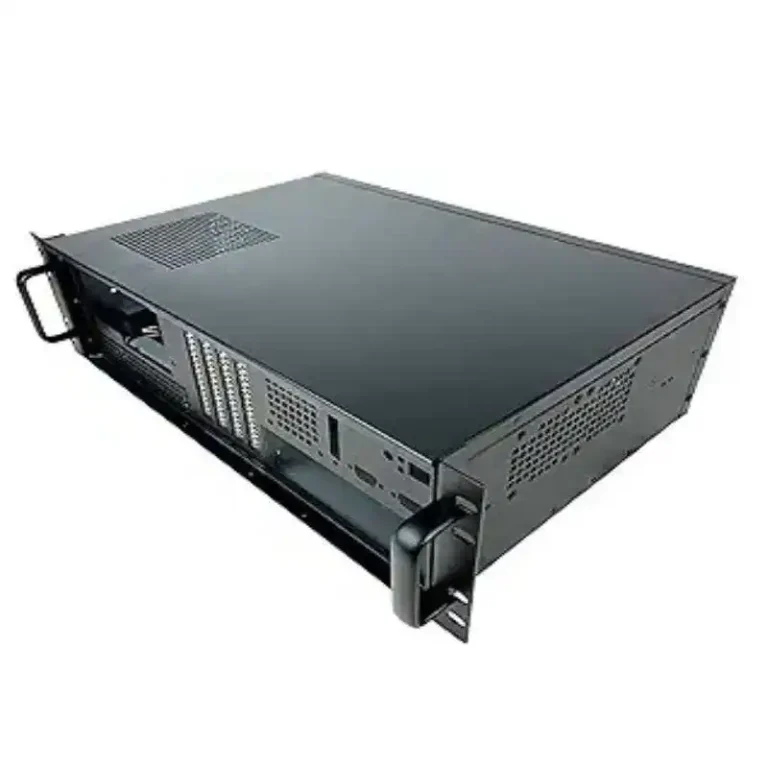
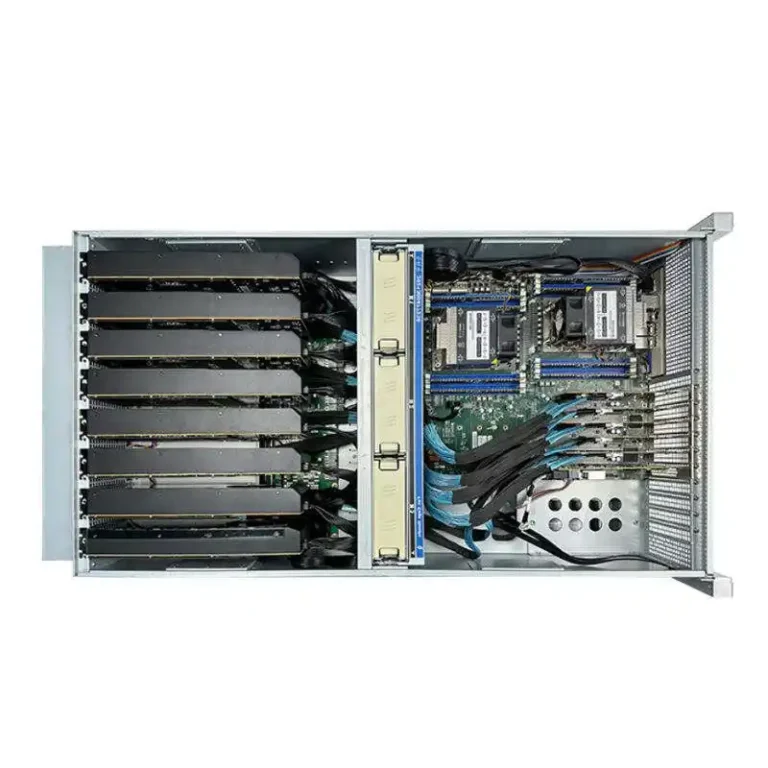
GPUs are hungry and hot.
If the airflow inside your server case is wrong, the cards don’t slow down “a bit”. They drop clocks, crash jobs, and your fancy rack become a space heater.
This is where airflow design for 4U and 6U GPU server cases really matter.
And this is also where a builder like IStoneCase comes in, with OEM/ODM chassis that are not only metal boxes, but proper air tunnels for AI and data workloads.
Airflow Basics for a GPU Server Rack PC Case
Whether you call it a server rack pc case, server pc case, computer case server, or atx server case, the rules for cooling heavy GPUs are almost the same:
- Front-to-back flow only
Cold air in from the front, hot air out at the rear. No sideways shortcuts that let hot air loop back. - Straight air path
Fans should push air like a tunnel: front grill → fan wall → GPU heatsinks → CPU / RAM → PSU → rear grill. - High static pressure
Those dense GPU coolers need strong fan walls, not only high RPM noise. - Clean cable and drive layout
Cables and drive cages must respect the airflow. If they sit in front of the fan wall, your airflow is already broken.
On the product side, this is exactly what the GPU server case family from IStoneCase tries to do: make the chassis a predictable air channel for racks in data centers, algorithm centers, corporate IT, and even “serious” homelabs.
4U GPU Server Case Airflow Design
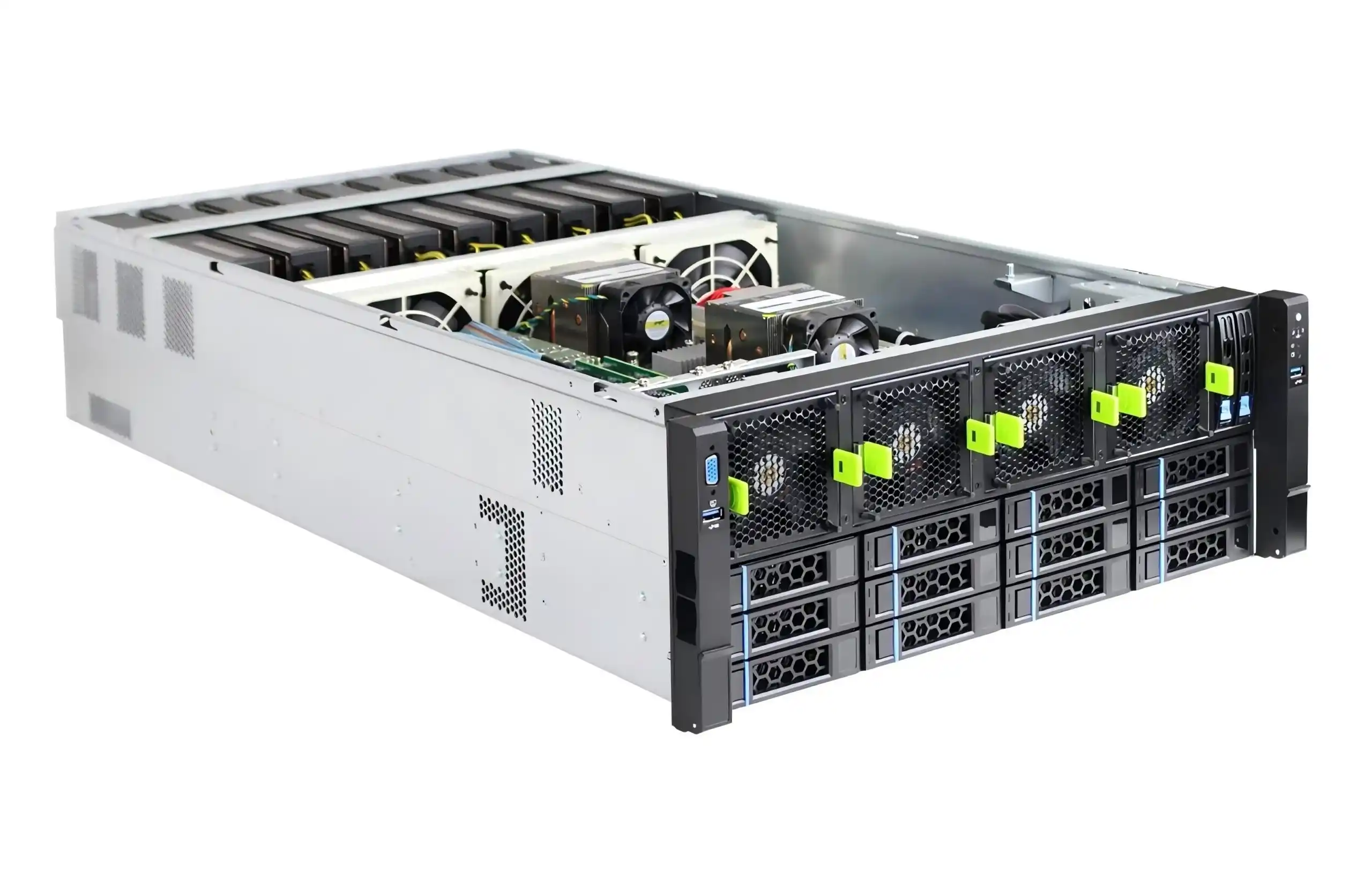
A 4U GPU server case is a nice balance: not too tall in the rack, but high enough for strong fans and big cards.
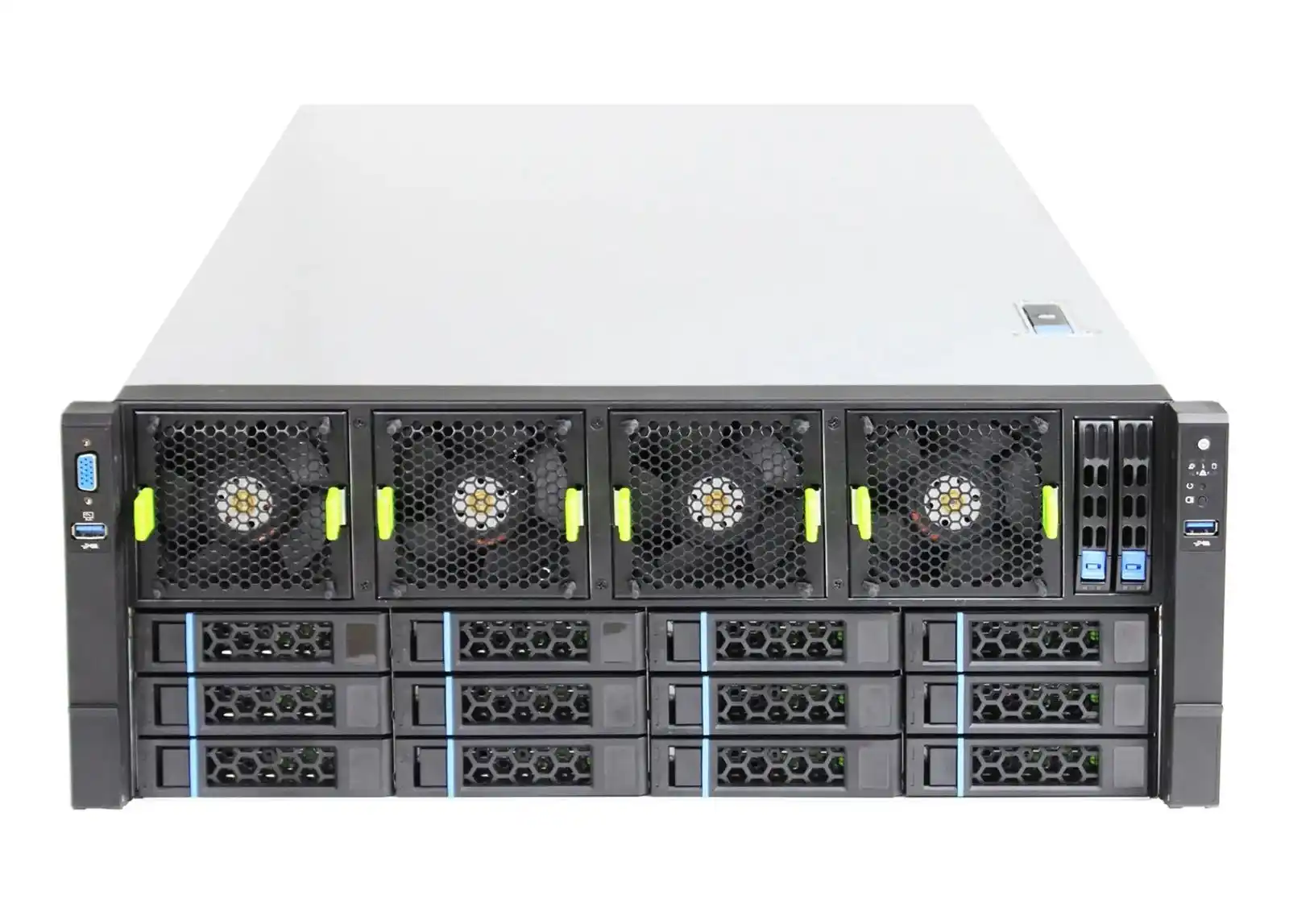
A good real-world sample is the
4U GPU Server Case ISC-GS4U800-B1.
It’s built for multi-GPU workloads and has:
- front hot-swap drive bays for storage,
- a row of powerful 120 mm fans,
- 11 expansion slots for GPUs and HBAs,
- and a straight internal layout from bezel to rear panel.
Another one is the ISC GPU Server Case WS04A2, which mixes air and optional liquid cooling but still keeps a clean tunnel.
4U GPU Server Case Fan Wall and Air Duct Layout
Inside a tuned 4U chassis you usually see this pattern:
- Front intake zone
Perforated front bezel and drive bays pull in cold air. Behind them sits a fan wall with multiple high-pressure fans. - GPU chamber
GPUs live right behind that fan wall.
The distance is short, so the cards eat fresh air, not re-heated leftovers. - CPU and memory zone
The CPU, RAM and maybe NICs sit behind the GPUs. They see slightly warmer air, but still within their TDP budget. - PSU and rear exhaust
Power supplies and rear vents push the air out into the hot aisle.
This whole thing turns the 4U chassis into a single air duct. If an integrator or IT service provider buys a batch of these, they can expect similar airflow behavior across all nodes, which means fewer thermal surprises when they scale.
4U GPU Server Case Scenario: Small AI Cluster
Imagine a smaller data center or research lab:
- one rack of mixed compute and storage,
- a few 4U GPU servers for training and inference,
- limited space and not a crazy cold room.
Here a 4U GPU chassis with:
- a strong fan wall,
- clear cable routing,
- and front-to-back design
lets you keep jobs stable even when the room isn’t “perfect white-space DC”.
Instead of guessing, the operator knows: if a node runs hot, something changed in the airflow (filter clogged, fan dead), not just “this computer case server is weak”.
6U GPU Server Case Airflow Design
Now step up to 6U GPU server case designs.
More height, more space, more thermal headroom.
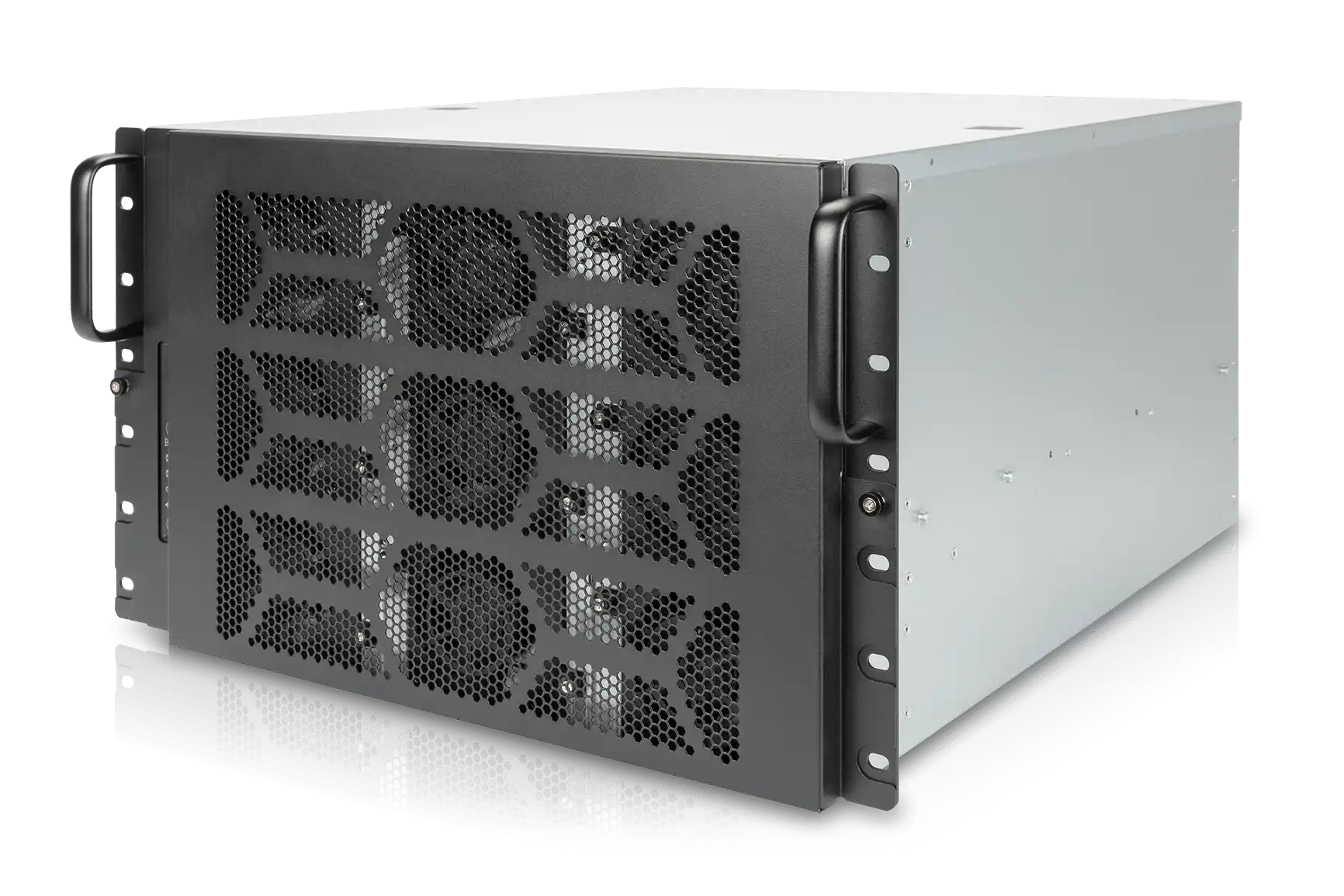
IStoneCase builds this class for high-density AI and HPC racks, where you run heavy models all day and can’t risk random downclock. A typical design is the
ISC GPU Server Case WS06A, which supports multiple RTX-class GPUs, large radiators and dual PSU.
6U GPU Server Case for High-Density GPU and Hybrid Cooling
Because 6U is taller, the airflow strategy looks a bit different:
- Layered airflow
You can split the box into zones:
GPU layer, motherboard layer, PSU / storage layer. Each one gets its own airflow path and sometimes even its own fan row. - More and bigger fans
Instead of one fan wall, 6U can host two rows or a deeper fan array. This helps N+1 fan redundancy: if one fan dies, the others still keep temperatures under control. - Hybrid air + liquid setups
WS06A-style cases have space for big radiators without destroying the front-to-back flow. So integrators can cool the hottest GPUs with liquid and still keep CPUs, RAM, and NVMe happy with air. - Better spacing for fat GPUs
Three-slot and four-slot cards are getting common. 6U gives you reasonable spacing between cards, so they don’t just recycle each other’s exhaust.
For algorithm centers, cloud GPU providers, and research institutes that push cards near the limit, 6U airflow is often the difference between “we run smooth” and “every Monday some node die again”.
Comparison Table: 4U vs 6U GPU Server Case Airflow
Here’s a simple comparison of typical airflow behavior in 4U vs 6U GPU cases like the GS4U800 / WS04A2 and WS06A families:
| Item | 4U GPU Server Case | 6U GPU Server Case |
|---|---|---|
| Airflow path | One main front-to-back tunnel on a single level | Layered front-to-back airflow with separate zones |
| Fan setup | Single fan wall with high static pressure | Multiple fan walls or deeper fan bank, easier N+1 design |
| GPU spacing | Tighter, good for 4–6 GPUs depending on card size | More vertical room, better for thick and long GPUs |
| Cooling headroom | Strong for compact GPU configs | Extra room for high-TDP stacks and hybrid cooling |
| Cable/drive routing | Needs very careful planning to not block wind | More space to hide cables and move drive cages off the air path |
| Best use | Environments where rack space is tight but power still high | Racks with brutal heat load and long 24/7 duty cycles |
Both sizes have their place.
If you’re a system integrator or reseller, it’s pretty common to mix them in the same project: 4U nodes for general compute and storage, 6U monsters for “hot” AI workloads.
OEM/ODM Airflow Optimization with IStoneCase Server PC Case
Because IStoneCase is an OEM/ODM chassis manufacturer, airflow is not a fixed thing. It’s something you can tuned per project.
For example, when you plan a custom server case line for your brand or for a large data center client, you can ask for:
- specific fan wall layout (fan count, size, position),
- dedicated air shrouds around GPU or CPU zones,
- custom front panel design to balance intake holes and dust filters,
- support for E-ATX or ATX boards in the same chassis family,
- guide rails and handles that match your existing racks.
If you also need storage boxes in the same project, IStoneCase can supply NAS devices, rackmount case, wallmount and ITX case units, and even chassis guide rail kits.
That means airflow thinking stays consistent from GPU nodes to storage nodes, which ops team really like, because troubleshooting gets easier.
For wholesalers and bulk buyers, this is real business value: less RMA due to thermal failures, fewer surprise fan swaps in the field, and a cleaner story when you sell to your own customers.
Airflow Checklist for Server Rack PC Case and Deployment
Before you sign off on the next batch of GPU chassis, here’s a short checklist you can run through. It’s simple, but it catch a lot of gotchas:
- Front panel and bezel are mostly open, not tiny decorative holes.
- There is a real fan wall, not just two lonely fans in the corner.
- GPUs sit directly behind that fan wall, not blocked by a tall drive cage.
- Cables can be routed along the side or under a cover, not hanging in front of the airflow.
- PSU and exhaust area have enough vents so hot air leaves fast.
- Chassis depth and rail system fit your racks, so servers don’t sit half outside.
- There is a clear plan for cold aisle / hot aisle in your room, even if the room is small.
If a chassis like an IStoneCase GPU server case or 4U/6U atx server case ticks these boxes, you’re already far ahead of “random box from marketplace”.
Airflow is not magic.
It’s just about respecting how air wants to move and designing the metal around that.
Do that right at the case level, and your GPUs, your clients, and honestly your on-call engineers will all breathe a lot easier.