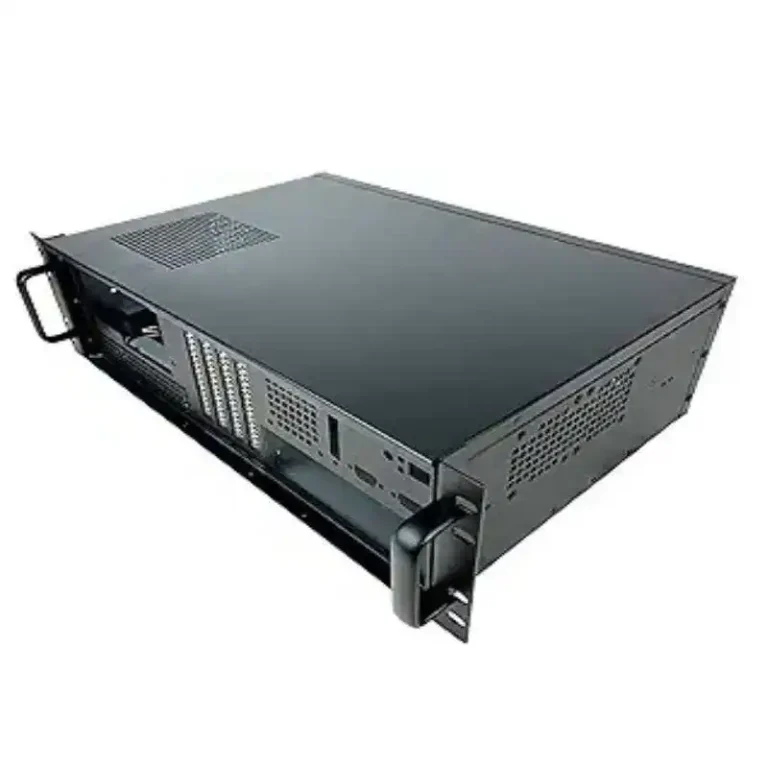
同じ物理サーバー上で複数の顧客向けにGPUをホストする場合、実際には「1台のサーバー」を販売しているわけではありません。販売しているのは SLA、予測可能なパフォーマンス、迅速な復旧 何かがうまくいかなくなった時。そして確かに、シャーシこそがその戦いの勝敗を決める重要な要素だ。.
一つだけ主張したいことがある: マルチテナントGPUホスティングは、ゲーマー向けビルドではなく運用チームのようにシャーシを選ぶべきだ。. 最大の敵は「騒がしい隣人」、サーマルスロットリング、そして長い平均復旧時間(MTTR)である。.
以下は、私がホスティングプロバイダーのフリートを監査する際に用いる判断基準です。また、IStoneCaseが自然に適合する点についても指摘します。同社はGPUおよびストレージプログラム向けに大規模なシャーシの構築とカスタマイズを行っているためです。.
電力:十分な容量に加え、冗長性を備える
マルチテナントホスティングには厄介な「影響範囲」がある。電源ユニット(PSU)の1つの不具合でホスト全体がダウンし、突然20件のチケットと返金スレッドが発生する事態になりかねない。.
あなたが望むもの:
- 冗長電源ユニットサポート (N+1スタイルの考え方、単なる「願いと祈り」ではない)
- クリーンな電力配線 技術者が午前2時に間違ったリード線を引っ張らないように.
- ピーク時の電力消費に対応できる十分な余裕、単に「起動する」だけではない“
現実の苦痛シーン:テナントが巨大なトレーニングジョブを起動し、GPU使用率が急上昇、ホストが不安定になり、オンコール担当者がシャーシ選択が複雑な電源レイアウトを強いた事実を知る。これは不運ではない。製品設計上の負債だ。.
専用マルチGPUフリートを設計する場合は、専用設計の GPUサーバーケース 汎用タワーにデータセンターノードのように振る舞うことを強いる代わりに、専用ラインを使用する。.

冷却:ホットスワップ対応ファンと前面から背面への気流
マルチテナントボックスは基本的にシェアアパートだ。熱はうるさいルームメイトのようなものだ。空気を適切に循環させられないと、こうなる:
- GPUクロックが低下している(顧客は「スロットリングされている」と呼ぶ)
- さらなるファンの故障
- 負荷下でのよりランダムな不安定性
探せ:
- 前後エアフロー ホットアイル/コールドアイル配置に対応する
- ホットスワップ可能なファンウォール (高速スワップ = MTTRの短縮)
- 後付け感のないフィルターとバッフル
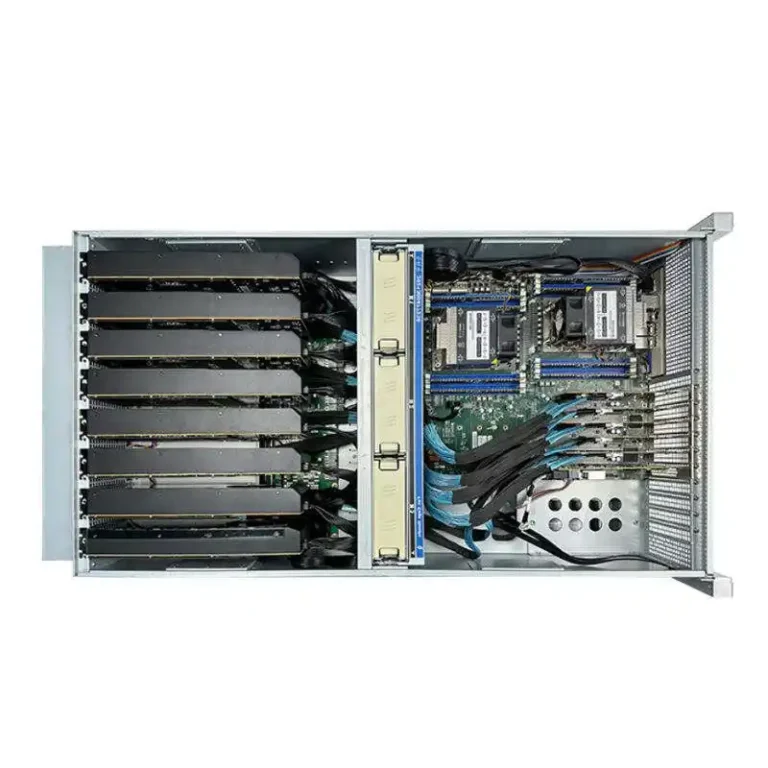
IStoneCase仕様書からの簡単な例:一部の4U GPUシャーシ構成では、温度制御付きマルチファン設計と豊富なPCIeスペースを採用している(正確なレイアウトはモデルにより異なるが、重要なのは「熱対策のために設計された」点であり、「熱対策のために装飾された」点ではない)。「ラック優先」の考え方が必要な場合、 サーバーラックPCケース スタイルカタログは良い基準となる。.
適合確認:GPU、スロット間隔、ケーブルクリアランス
これは明白に聞こえる。それでもプロジェクトを台無しにする。.
50台のシャーシを購入する前に、以下の質問に答える必要があります:
- お使いのGPUは物理的に適合しますか(長さ、厚さ、電源プラグの方向)?
- 電源ケーブルは、蓋や側壁に接触せずに、極端に曲がることなく通りますか?
- GPUのメンテナンスを、マシンの半分を取り外さずに実施できますか?
マルチテナントホスティングでは、「きつい設計」は運用コストの負担となる。介入ごとに余分な時間がかかる。これがすぐに積み上がる。また、きつい設計は発熱しやすくなる。だから介入が増える。楽しいループだ。.
フリートで複数のGPU SKUを使用する場合、最良のカードではなく最悪のケースを想定した構成を構築してください。.
拡張:GPU、NIC、ストレージ向けPCIeレイアウト
ほとんどのホスティングプロバイダーは「GPUが多ければそれで完了」と考えて、この点を台無しにしている。“
完了していません。マルチテナント環境では通常、以下のものも必要です:
- 高速NIC (テナントトラフィック、ストレージトラフィック、コントロールプレーン…積み重なっていく)
- HBAやDPU用の追加PCIeスロット
- 十分なレーン数と合理的なスロット配置により、NICがGPUの後ろで焼けるのを防ぐ
経験則:シャーシの選択は、以下の要件を満たすものであるべきです。 販売するGPUの数, 、さらに ネットワークでは、遅延を安定させる必要があります.
ここで適切な サーバーPCケース 家族向け(予測可能なRUサイズと拡張パターンを備えた)は、常にランダムな消費者向けエンクロージャーに勝る。.

ストレージ:高速操作のためのNVMe + ホットスワップ対応ドライブベイ
たとえ「GPUを販売」する場合でも、ストレージは依然として顧客体験を形作る:
- モデル重み、データセット、キャッシュ
- 画像、スナップショット、ログ
- ローカルスクラッチでネットワークの悲鳴を止める
マルチテナントの場合、優先順位を付ける:
- ホットスワップベイ (ダウンタイムなしでスワップ)
- ストレージ計画に適合するバックプレーンオプション(設計に応じてSATA/SAS/NVMe)
- 前面からのサービスアクセスを清潔に保つ
GPUホストとストレージ階層を運用する場合、組み合わせるには NASデバイス シャーシはアーキテクチャをクリーンに保ちます:コンピュートノードはコンピュート機能に特化し、ストレージノードはストレージ機能に特化します。.
マルチテナント配信:MIG、vGPU、またはタイムスライシング
この部分はシャーシ専用ではありませんが、購入すべきシャーシの種類が変わります。.
基本的に3つの「製品形状」があります:
- ハードウェアパーティショニング(MIG方式): より優れた分離性、より予測可能なQoS
- 仮想GPU(vGPU)VMベースのテナント向けには強力だが、ドライバー/運用面の成熟度も必要
- タイムスライシング安価でシンプルだが、「騒がしい隣人」リスクは現実のものだ
ここがオチです: 予測可能なスライスを販売する場合、シャーシは予測可能な熱特性をサポートしなければならない。. そうでなければ、紙の上では「GPUスライス仕様」を満たしても、実際の負荷ではボックスが過熱するため一貫性が失われます。.
もしあなたが既知の要素を基にオファーを構築しているなら、 atxサーバーケース そのアプローチは、空気の流れとサービス規則を尊重する限りでは理にかなっている。.
施設の実態:ラック電力密度と保守性
最高のシャーシを地球上で購入しても、設置環境を無視すれば結局は苦労する。.
私がいつも尋ねる二つの質問:
- 計画している電力と熱量を、実際にラックが処理できるのか?
- 技術者は「ラックジェンガ」をせずに素早く部品を交換できるか?
そこで レール 退屈だが巨大だ。工具不要のレールは、単純ミスを減らし、交換を迅速化し、狭い通路での手の安全を守る。よりスムーズなメンテナンスサイクルを求めるなら、適切なものを検討すべきだ。 シャーシガイドレール 不揃いのユニバーサルレールではなく、セットアップを使用する。.
また、保守性はビジネス上の利点です。修理にかかる時間が短ければ、テナントごとのダウンタイムも減少します。これが真の価値です。.
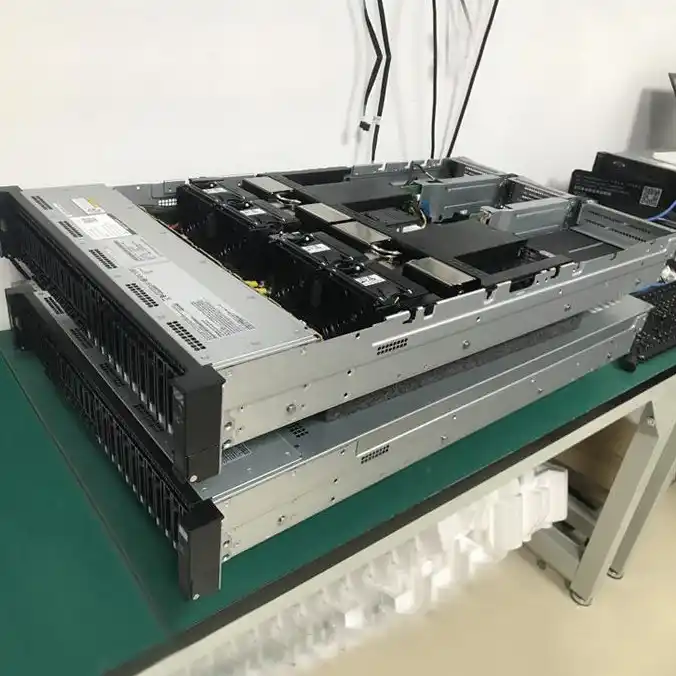
決定表:マルチテナントGPUシャーシ選定(運用優先)
| 意思決定の柱 | マルチテナントホスティングにおいて重要な理由 | シャーシで確認すべき事項 | “「ソース」タイプ(誇張なし) |
|---|---|---|---|
| 冗長PSU | 収縮半径を縮小し、SLAを保護する | 冗長電源ユニットのサポート、整理された配線経路 | データセンター運用プラクティス |
| ホットスワップ対応ファン | MTTRの短縮、ホスト全体の停止回数の削減 | ファン壁設計、ホットスワップ、前面から背面への気流 | HPC/AIシャーシ設計基準 |
| GPU適合性+クリアランス | ビルド失敗とホットスポットを防止します | スロット間隔、蓋のクリアランス、ケーブル配線 | 艦隊作戦から学ぶ統合の教訓 |
| PCIeレイアウト | NICのボトルネックや熱の滞留を回避します | GPUとNICの配置、ライザーオプション、スロット数 | ネットワーク+GPUホスティングパターン |
| NVMe + ホットスワップベイ | 回復を促進し、キャッシュ/スクラッチをサポートします | ホットスワップベイ、バックプレーン選択、前面アクセス | ストレージ運用におけるベストプラクティス |
| MIG/vGPU/タイムスライシングモデル | QoSの期待値を変更する | 熱安定性、保守アクセス、膨張余裕 | ベンダー文書 + SREプラクティス |
| Rails + サービスアクセス | 人的ミスとダウンタイムを削減します | 工具不要レール、奥行き互換性 | 現場保守の現実 |
iStoneCaseの適用分野:OEM/ODM、バルクプログラム、迅速な展開
ホスティングプロバイダーであるなら、「優れたサーバー」だけでは不十分です。必要なのは:
- 再現可能な部品表,
- バッチ注文に対する安定した供給,
- プラットフォーム全体を再設計することなく、細部を調整する能力。.
だからこそ、フリート構築の候補リストにはIStoneCaseを常に含めておくべきです。GPUシャーシ、ストレージシャーシ、ラックマウントオプション、レールを網羅しているだけでなく、 OEM/ODMサービス 独自のフロント、独自の内部ブラケットマップ、または独自のエアフロー計画が必要な場合。.
ロールアウト計画にRUの高さを素早く合わせる方法をお探しなら、これ コンピューターケースサーバー チェックリスト形式のページは便利な出発点です。.