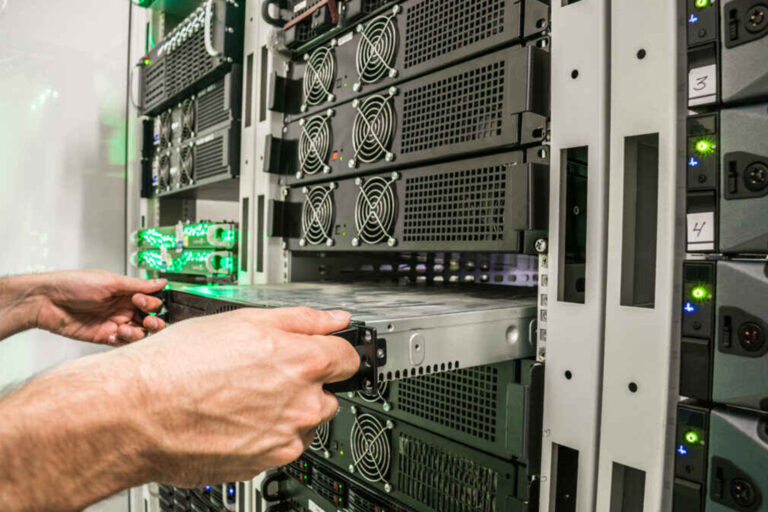
ぜひ弊社まで サーバーシャーシ エンジニアおよび営業チーム




チャンネル登録者数24,000人
お客様の用途、シャーシの種類、ラックの高さ、マザーボード、GPU、ドライブベイ、電源、冷却システム、I/O、および注文数量をお知らせください。当社のエンジニアおよび営業チームが、お客様のプロジェクトに適した標準モデルまたはOEM/ODM構成をご提案いたします。.

A server that fits a 42U data-center cabinet can become completely useless when someone tries to install it in a 600 mm-deep network rack.
I have become suspicious of chassis specifications that lead with only “1U,” “2U,” or “19-inch rackmount compatible.” Those labels describe very little about whether the completed machine will fit an edge cabinet after rails, power connectors, Ethernet cables, rear PDUs, front doors, airflow clearance, and an engineer’s hands are added to the equation.
Depth changes everything.
A Short-Depth Server Chassis forces the motherboard, power supply, storage, fans, expansion cards, cables, heatsinks, front I/O, rear connectors, and structural reinforcement into a smaller mechanical envelope, which means shaving 100 mm from enclosure depth can create far more engineering compromises than removing the same amount of unused space from a conventional rack server.
So why do buyers still compare shallow chassis by exterior depth alone?
Because it is an easy number.
Unfortunately, it is often the wrong number.
Edge computing changes where servers live.
Instead of concentrating every workload inside a purpose-built data center, organizations increasingly deploy computing resources closer to factories, stores, telecom equipment, security systems, branch offices, transportation infrastructure, cameras, industrial controllers, and the people or machines generating the data.
Uptime Institute’s Edge Data Center Survey found that 69% of respondents identified reduced latency as an important driver for edge data centers, while 45% cited requirements to make IT services available 24/7. That is a useful reminder that edge infrastructure exists for operational reasons, not because smaller server boxes happen to look attractive.
The physical environment is different too.
A central data center may have deep cabinets, raised floors, carefully managed airflow, technicians on site, high-capacity power distribution, structured cabling, and generous rear clearance.
The edge site might be a telecommunications closet.
Or a factory cabinet.
Or a retail back room.
Or a shallow 19-inch network enclosure originally purchased for switches and patch panels.
That difference matters.
The U.S. National Renewable Energy Laboratory reported in 2025 that AI inference growth could increasingly require multiple low-latency edge data centers located closer to users; its report projected that 90% of AI workloads could be inference-based by 2030 and discussed distributed edge facilities below 20 MW.
Reuters has also documented hardware vendors moving compute closer to where data is produced. Cisco’s Unified Edge platform, announced in November 2025 for locations including factories, retail sites, and healthcare environments, is one recent example of infrastructure being designed for localized processing rather than automatically sending every workload back to a centralized cloud facility.
That is the real use case for a Shallow Depth Server Chassis.
Not “small server.”
Constrained infrastructure.
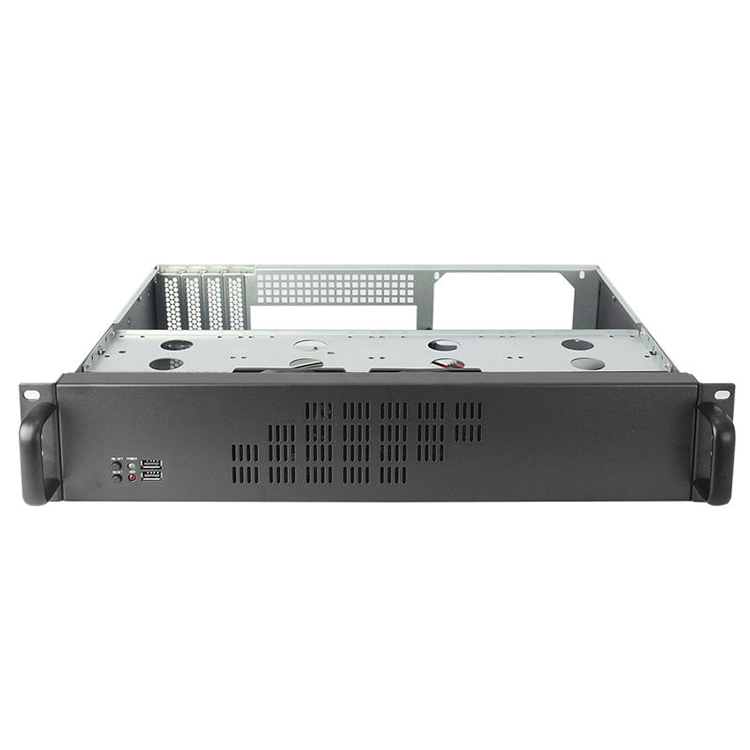
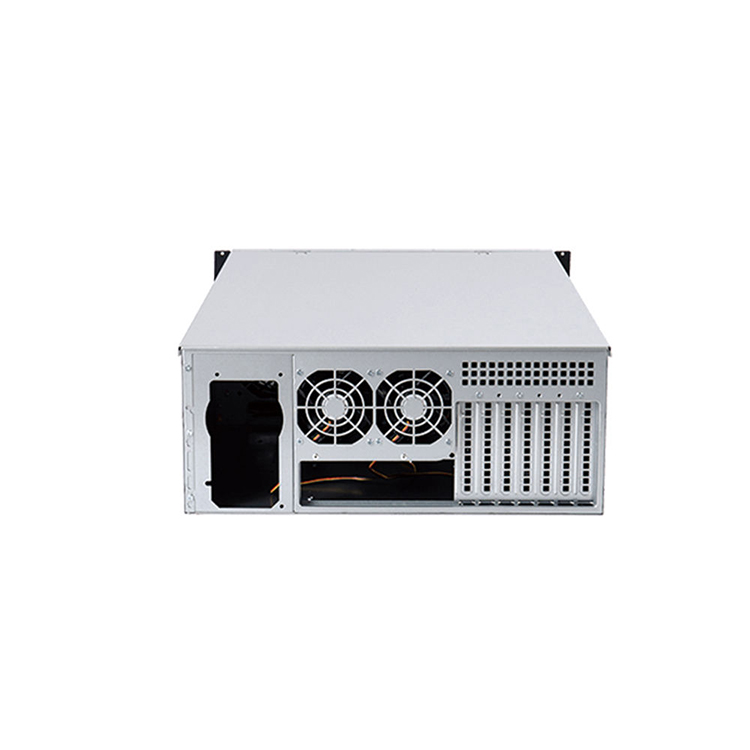
This is where I would start every short-depth project.
Measure the actual rack.
Not the website description.
Not the purchase order.
Not the sticker saying “600 mm cabinet.”
The actual rack.
A cabinet’s advertised outside depth and its usable equipment depth are different measurements. Front and rear mounting posts sit inside the enclosure, doors consume space, hinges intrude, PDUs occupy the rear zone, and cables must bend somewhere.
If those terms sound annoyingly similar, they are. Our detailed guide to calculating required rack depth explains why chassis depth, mounting depth, cabinet depth, and the completed installed envelope should be treated as separate dimensions. The rack-depth guide also notes that even a chassis that physically enters a cabinet may fail because its rail system cannot accommodate the front-to-rear post spacing.
I would record at least:
Then calculate the installed envelope.
例えば、こうだ:
A 450 mm-deep chassis does 違う necessarily require only 450 mm.
Suppose you have:
You are already thinking about roughly 590 mm of functional depth, before accounting for a rear PDU or cable-management arm.
Suddenly that “600 mm cabinet” does not sound spacious.
This mistake is painfully common.
A Short Depth Rackmount Chassis might be 400 mm deep while its rail system requires mounting posts separated by 500–800 mm.
Your 450 mm post spacing?
No installation.
The metal enclosure fits.
The server does not.
Ask for the rail’s minimum and maximum mounting range separately from chassis depth.
Here is the hard part.
Space has to come from somewhere.
When chassis depth decreases, the designer normally sacrifices or rearranges some combination of storage, PCIe expansion, fan diameter, motherboard size, PSU format, cable space, front I/O, heatsink volume, drive cages, redundancy, or service access.
There is no magic.
A 350 mm 1U chassis cannot provide the same mechanical freedom as an 800 mm 2U server unless the hardware configuration is radically different.
That is why buyers comparing a compact 1U server chassis platform with a more spacious 2U server chassis platform should start with the workload and component list rather than assuming smaller automatically means better.
| Design Area | What Shorter Depth Does | Typical Buyer Risk | What to Verify |
|---|---|---|---|
| マザーボード | Reduces board and connector space | ATX/E-ATX board interferes with PSU or fans | Board dimensions and connector locations |
| 電源ユニット | Limits PSU length or orientation | Standard ATX PSU blocks motherboard/cables | PSU format, length, airflow direction |
| 冷却 | Shortens airflow path but reduces fan/layout freedom | Hot spots around CPU, VRM or PCIe cards | Static pressure, ducting, fan redundancy |
| ストレージ | Compresses drive cages | Fewer 2.5/3.5-inch bays than expected | Drive count and hot-swap requirement |
| PCIe | Reduces card clearance | NIC/GPU/HBA collides with front assembly | Card length, height and riser geometry |
| ケーブル配線 | Leaves less routing volume | Cables obstruct fans or cannot bend safely | Connector orientation and bend radius |
| サービス性 | Components become tightly packed | Routine replacement requires partial disassembly | Tool access and replacement sequence |
| レールズ | Short chassis may still use longer rails | Rack post spacing incompatible | Rail adjustment range |
| リアI/O | Less rear-door clearance | Door presses against plugs or cables | Installed connector envelope |
This table explains why the phrase “Best Short-Depth Server Chassis for Edge Computing” is incomplete without specifying the configuration.
Best for what?
A firewall appliance using Mini-ITX, two NVMe drives, a 10/25GbE NIC and a modest CPU?
A virtualized edge node with redundant power?
A video analytics system with a GPU?
A storage appliance with eight hot-swap drives?
These are very different machines.
People routinely make this backwards.
They decide the server must be 1U.
Then engineering spends weeks trying to squeeze the required components into it.
I would ask whether 1U is actually solving a problem.
If the rack contains only six servers, saving 1U per machine may matter far less than gaining larger fans, better CPU heatsink clearance, easier cabling, more PCIe flexibility, and simpler maintenance.
Our comparison of 1U vs 2U vs 4U server chassis formats examines this trade-off in more detail.
A 1U Short-Depth Server Chassis makes sense when rack-unit density genuinely matters and the internal configuration is relatively controlled.
Good candidates include:
The advantage is obvious: 1U equals approximately 44.45 mm of rack height.
The downside is equally obvious.
Fans are smaller.
Heatsinks are shorter.
Cable routing is tighter.
Large PCIe cards become awkward.
And acoustic performance can get ugly because small high-speed fans often need substantial RPM to develop pressure through restrictive components.
For many real projects, I prefer starting the conversation at 2U.
That extra vertical space can support:
You sacrifice 1U.
But you may save a lot of engineering pain.
For edge infrastructure where rack height is available but rack 深さ is constrained, a shallow 2U architecture can be a much smarter design than forcing everything into a short 1U enclosure.
Never stop at “supports ATX.”
I mean it.
ATX tells you a nominal board form factor.
It does not tell you where every connector sits, whether a 24-pin power plug faces sideways, whether SATA connectors collide with a drive cage, whether DIMM latches can open, or whether a large heatsink interferes with the fan wall.
A short-depth enclosure magnifies these issues because there is less dead space available to absorb unexpected geometry.
For every candidate Network Rack Server Chassis, obtain the motherboard mechanical drawing.
チェックする:
And if your platform uses ATX, E-ATX, SSI-EEB, microATX, or another board standard, verify the actual dimensions rather than treating the acronym as proof of compatibility.
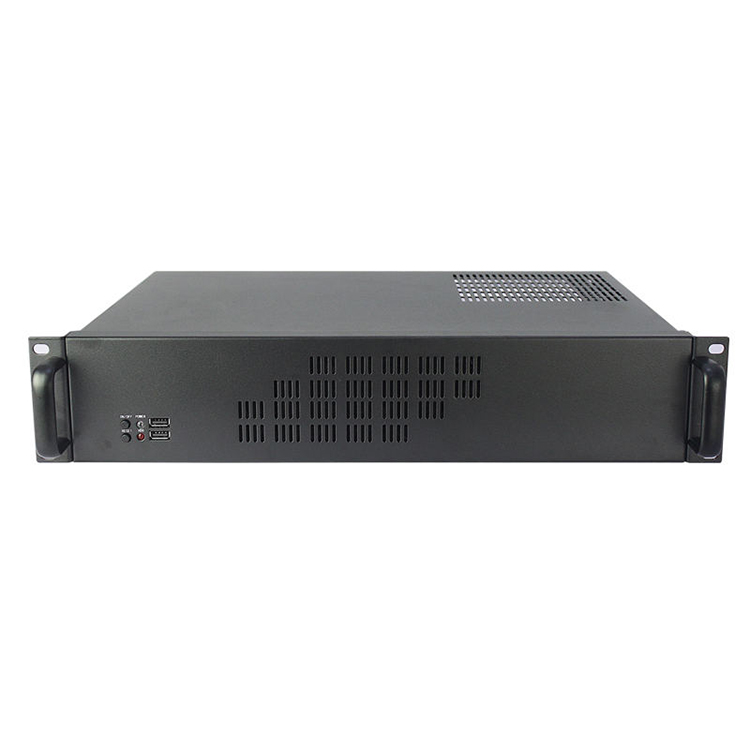
A shallow chassis can actually have a shorter airflow path.
That sounds good.
But only if the air goes where you need it.
In practice, compact enclosures create dense restrictions: front panels, filters, SSD cages, cables, heatsinks, memory, risers, NICs, power supplies, and fan walls may occupy nearly the entire cross-section.
That is why I dislike chassis specifications that advertise only fan quantity.
“4 × 40 mm fans” tells me almost nothing.
What fans?
At what RPM?
What static pressure?
Through what restriction?
Cooling which components?
At what inlet temperature?
Under what workload?
The U.S. Department of Energy reported in December 2024 that American data-center load growth had roughly tripled over the previous decade and could double or triple again by 2028. Berkeley Lab has separately noted that conventional server racks historically around 3–5 kW can be dramatically exceeded by modern AI-oriented racks, which can approach 100 kW in some configurations.
Your branch-office edge server probably will not draw 100 kW.
That is not the point.
The point is that silicon power is moving upward while buyers are simultaneously asking hardware engineers to put more compute into smaller physical spaces.
Those goals fight each other.
For normal network and server racks, I strongly prefer preserving predictable front-to-rear airflow whenever possible.
Our engineering guide to front-to-back server chassis airflow explains why airflow should be treated as a complete pressure path instead of a fan-count exercise.
The guide highlights a useful principle: bypass air is wasted air.
If cool air can travel around a CPU heatsink more easily than through it, it will.
If a drive cage blocks half the front intake, the CPU does not care that the front panel technically contains ventilation holes.
And if cables sit directly behind a 40 mm fan array, catalog CFM becomes much less interesting.
For a Short-Depth Server Chassis, ask the supplier for:
“Cooling is sufficient” is not test data.
PSUs are sneaky.
A buyer selects a 400 mm chassis.
The motherboard fits.
The drives fit.
Then someone installs a 160 mm ATX power supply behind the front panel and suddenly half the motherboard is inaccessible.
Or the modular cable connectors face a wall.
Or the PSU fan pulls air against the server’s intended airflow direction.
Or there is no room to bend the EPS12V cable.
This is why short-depth appliances often benefit from power architectures selected specifically around the enclosure rather than inherited blindly from tower-PC hardware.
Possible options include:
The right answer depends on workload, redundancy, service model, regulatory requirements, and volume.
For a production Edge Server Chassis, I would ask for the PSU’s exact 3D model early.
Not later.
Early.
A NIC described as “200 mm long” does not necessarily consume only 200 mm.
The bracket matters.
The connector matters.
The cable does too.
High-speed network cards may require SFP, QSFP, DAC, fiber, or other connections that extend beyond the card or chassis and require a practical bending envelope.
Storage HBAs introduce internal SAS or SlimSAS cables.
GPUs can add power connectors on the side or rear.
Risers add another tolerance stack.
So calculate:
Card envelope = PCB + bracket + connector + cable bend + installation clearance
Then test whether you can actually remove the card.
This is one of those details CAD screenshots hide beautifully.
A component can fit perfectly once installed while being impossible to insert without removing the motherboard.
That is not good serviceability.
That is a puzzle.
Short-depth storage servers deserve particular caution.
A wall of front-mounted 3.5-inch drives creates considerable airflow resistance, and the backplane directly behind those drives can restrict the remaining open area even further.
Then the processor sits downstream asking for cool air.
Physics is rude like that.
If storage capacity is a major requirement, decide early whether the project needs:
Do not ask for “maximum drives” and “minimum depth” as though they are independent variables.
They are not.
Here is an unpopular opinion.
A remote edge server should sometimes be easier to service than a data-center server.
Why?
Because the technician standing in front of it may not be a server specialist.
The site may have no crash cart.
There may be limited rear access.
There may be no spare rack space.
And a service visit may require someone to drive several hours.
So ask operational questions:
Can the boot drive be replaced from the front?
Can fans be replaced independently?
Can the top cover be removed while the chassis remains on its rails?
Can the PSU be changed without disconnecting network cables?
Are motherboard diagnostic indicators visible?
Is there a management interface such as IPMI or Redfish?
Can the entire server slide out without unplugging equipment above and below it?
These details rarely look exciting on a quotation.
They become extremely exciting at 2:17 a.m. when a remote site is offline.
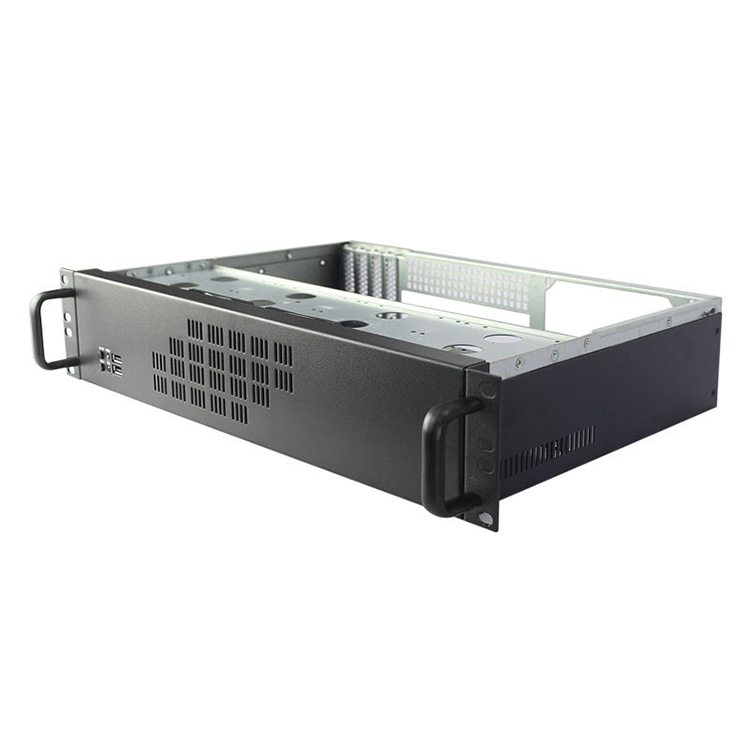
When someone asks me How to Choose a Short-Depth Server Chassis, this is the order I would use.
Specify:
Record usable dimensions and post spacing.
Do not trust outside dimensions alone.
List exact:
Include connectors, cables, PDU interference, doors, rails, and service space.
Estimate realistic sustained system power rather than simply quoting PSU wattage.
Trace intake to exhaust through every major restriction.
Get the minimum and maximum mounting-post spacing.
Simulate replacement of the components most likely to fail.
Do not validate the empty chassis.
Validate the most demanding configuration you intend to sell.
Once dimensions and hardware are known, turn them into a controlled specification package. If the project requires OEM development, our guide to preparing a complete chassis RFQ explains how to document materials, tolerances, interfaces, cooling, quantities, quality expectations, and production requirements before asking manufacturers to quote.
There is no universal number.
And I would be suspicious of anyone giving one without asking about the hardware first.
Still, these ranges can be useful as early design categories rather than universal standards:
| Approximate Chassis Depth | Typical Direction | Main Constraint |
|---|---|---|
| Under 300 mm | Network/security appliance, embedded compute | Very restricted PSU, board and PCIe space |
| 300–400 mm | Compact edge server | Cooling and expansion become configuration-sensitive |
| 400–500 mm | Flexible short-depth server | Better ATX/PCIe/storage possibilities |
| 500–600 mm | Transitional rackmount system | Easier component integration but may exceed shallow network cabinets |
| Over 600 mm | Conventional server territory | Increasing cabinet-depth requirements |
Do not turn that table into a purchasing specification.
Use it to start the engineering conversation.
The exact answer depends on what has to live inside the chassis and what has to live behind it.
A Short-Depth Server Chassis is a rackmount server enclosure intentionally designed with less front-to-rear depth than conventional enterprise servers so it can operate in shallow network cabinets, edge racks, telecom installations, industrial enclosures, branch offices, and other locations where full-depth data-center hardware cannot be physically accommodated.
Short depth is therefore a deployment characteristic rather than a fixed universal dimension. Depending on the application, buyers may consider chassis around 300–500 mm deep “short,” but the meaningful limit is whatever fits the actual rack after rails, connectors, cabling, PDUs, doors, and service clearance are included.
アン edge server chassis should be shallow enough to fit the site’s usable rack envelope while still providing sufficient room for the specified motherboard, PSU, storage, PCIe cards, cooling system, cabling, rails, rear connectors, and maintenance access; therefore, the correct depth must be calculated from the completed system rather than selected from a generic target.
For many constrained deployments, 300–500 mm is a useful starting range, but that is not a standard. Measure the installation first.
A 1U Short-Depth Server Chassis is generally better when rack-unit density is the dominant constraint, while a 2U short-depth chassis is generally better when cooling flexibility, PCIe expansion, larger fans, power-supply options, storage capacity, easier cabling, and service access matter more than saving one rack unit of vertical space.
For network appliances and lightweight edge compute, 1U can work extremely well.
For higher-power CPUs, multiple expansion cards, larger storage configurations, or easier field service, I would seriously evaluate 2U.
A short-depth chassis can support an ATX motherboard when its internal dimensions, standoff pattern, PSU position, fan wall, drive cages, front I/O, PCIe geometry, cable-routing paths, and connector clearances have been designed around the specific ATX board, but the simple phrase “ATX compatible” does not guarantee the complete system will fit.
Always compare the enclosure against the exact motherboard mechanical drawing.
A short-depth server is commonly used for edge computing because edge workloads are frequently deployed in space-constrained locations such as telecommunications rooms, factories, retail sites, branch offices, network closets, and micro data centers where computing must remain physically close to users, devices, sensors, or machines to reduce latency and data-transfer requirements.
That deployment model is supported by industry research showing reduced latency remains one of the strongest reasons organizations place computing resources at the edge.
A shallow depth server chassis can handle a high-power CPU when its fan system, heatsink geometry, airflow path, inlet temperature, system impedance, power delivery, and surrounding rack conditions are engineered for the processor’s sustained thermal load, but chassis depth alone cannot determine whether the completed system will remain within safe temperature limits.
The sensible approach is thermal validation using the final production configuration under sustained load.
A custom Short-Depth Server Chassis request should include the maximum allowable chassis and installed depth, rack-post spacing, rack height, motherboard drawing, CPU and thermal load, PSU model, storage layout, PCIe cards, cooling requirements, front and rear I/O, rail requirements, material, finish, target quantity, compliance market, and service-access expectations.
The more accurately these inputs are defined before CAD starts, the less likely the prototype will expose expensive packaging conflicts later.
My strongest recommendation is simple:
Do not buy the shortest chassis you can find.
Buy the shortest chassis that still gives the hardware enough room to function, cool itself, connect properly, mount securely, and be serviced without turning every repair into mechanical surgery.
For a basic firewall or network appliance, that may be an aggressively compact 1U enclosure.
For an edge virtualization node, AI inference appliance, storage server, industrial computer, or multi-NIC system, a slightly deeper 2U chassis may deliver far better reliability and serviceability.
Measure the rack.
Lock the hardware.
Calculate the installed envelope.
Validate the cooling.
Then choose the chassis.
If an off-the-shelf enclosure cannot satisfy those constraints, review the available rackmount and server chassis platforms or send your motherboard drawing, maximum rack depth, PSU, storage configuration, PCIe cards, airflow requirements, and expected production volume to the engineering team for a short-depth OEM/ODM chassis evaluation.

Comments