Habla con nuestro Chasis de servidor Equipo de ingenieros y ventas
24 000 suscriptores
Indíquenos la aplicación, el tipo de chasis, la altura del rack, la placa base, la GPU, las bahías para unidades, la fuente de alimentación, el sistema de refrigeración, las conexiones de E/S y la cantidad que desea pedir. Nuestros ingenieros y nuestro equipo de ventas le recomendarán un modelo estándar o una configuración OEM/ODM para su proyecto.
El formato 1U destaca por su densidad de montaje en rack, pero su altura reducida impone mayores limitaciones en cuanto al hardware de refrigeración, la disposición de las ranuras PCIe, los formatos de las fuentes de alimentación, el almacenamiento y la instalación de aceleradores.
2U suele ser la opción intermedia más segura para servidores de uso general, nodos de virtualización, sistemas de almacenamiento y proyectos que requieran una mayor capacidad de ampliación sin ocupar demasiado espacio en el rack.
El formato 4U resulta adecuado cuando la flexibilidad en la elección de componentes es más importante que la densidad bruta del rack, especialmente para la computación con varias GPU, grandes matrices de almacenamiento, tarjetas PCIe de altura completa, ventiladores más grandes y sistemas personalizados.
No elijas una carcasa basándote únicamente en el número U. Comprueba que la placa base, las dimensiones de la GPU, los risers, la fuente de alimentación, la placa base para unidades, los ventiladores, los cables, los rieles y el acceso para mantenimiento formen un sistema integrado.
Lo mejor Formato de servidor para montaje en rack No es necesariamente el chasis más pequeño. Es el chasis más pequeño capaz de albergar tanto el hardware actual como la trayectoria de actualización realista del proyecto sin que sea necesario un rediseño.
Los enlaces externos que aparecen en este artículo están pensados para abrirse en una pestaña nueva.
Si buscas Servidores de 1U, 2U y 4U A la hora de hacer comparaciones, la mayoría de las explicaciones parten de la estatura física.
Eso es útil.
Además, no es ni mucho menos suficiente.
Para un comprador OEM, un integrador de sistemas, un desarrollador de infraestructuras de IA, un proveedor de almacenamiento, una empresa de informática industrial o un equipo de TI empresarial, la altura del servidor es, en realidad, un indicador de una decisión de ingeniería mucho más amplia. Si se modifica la altura, es posible que también haya que cambiar la arquitectura de los ventiladores, el sistema de refrigeración de la CPU, la orientación de la GPU, los risers PCIe, el formato de la fuente de alimentación, el número de unidades de almacenamiento, las opciones de la placa base, el tendido de cables, la acústica y los procedimientos de mantenimiento.
Por eso, la elección entre 1U, 2U y 4U debe realizarse una vez que la arquitectura empiece a tomar forma, y no antes.
¿Qué significan realmente 1U, 2U y 4U?
Una unidad de rack, que normalmente se escribe como U o RU, mide el espacio vertical en el bastidor.
Esas cifras teóricas de los bastidores no son más que datos geométricos.
Un rack auténtico también necesita espacio para conmutadores, gestión de cables, paneles de conexión, almacenamiento, PDU, equipos SAI, paneles ciegos u otra infraestructura. Vertiv se hace eco de esta idea al hablar de la capacidad práctica de 42U.
Esta distinción es importante porque los compradores suelen confundir densidad de los racks con densidad de cálculo útil.
No siempre son lo mismo.
Si aún estás sentando las bases de tu Tamaño del servidor en unidades de rack requisitos, empieza por el plano completo de la instalación, en lugar de limitarte a dividir 42U entre la altura del chasis.
1U: máxima densidad, mínimo margen de error
The attraction of 1U is obvious.
You can pack a lot of nodes into a rack.
For cloud infrastructure, web servers, telecom appliances, firewalls, edge compute, standardized CPU nodes, and other repeatable deployments, that density can be extremely valuable.
Modern 1U systems are hardly low-performance machines either. Dell’s current PowerEdge R670 documentation describes a 1U server supporting two Intel Xeon 6 processors, 32 DIMM slots, multiple storage configurations, and configurations with up to 20 EDSFF E3.S NVMe drives.
So performance is not the issue.
Geometry is.
A Chasis de servidor de 1U gives engineers only about 44.45 mm of nominal rack height to work with. On iSTONECASE’s current product range, published 1U examples use 40 mm fans and specialized PSU arrangements, and some configurations rely on PCIe risers for full-height expansion cards.
That forces trade-offs.
Where 1U Gets Difficult
A component can be electrically compatible and still fail mechanically.
A GPU may match the motherboard’s PCIe interface but be too tall, too thick, too long, or impossible to power once its auxiliary connector is installed.
A CPU may fit the socket but require a cooler that cannot operate inside the available vertical envelope.
A motherboard may technically fit, yet its connectors can interfere with a riser, fan wall, drive cage, or cable bend.
Then there is heat.
Small fans can generate serious static pressure, which is why 1U servers can cool surprisingly powerful components. But high-speed small-diameter fans also mean the thermal system has less margin for casual component substitutions. Change the heatsink, GPU, drive population, air shroud, or cable routing and you may alter the entire airflow path.
In a standardized deployment, that is manageable.
In a constantly changing custom build, it can become painful fast.
The GPU Mistake That Keeps Showing Up
I was recently browsing server and homelab discussions and came across a problem that captures the 1U trap almost perfectly.
One builder wanted to install existing double-slot GPUs in 1U servers and quickly discovered that the chassis format itself had become the obstacle. The resulting discussion moved straight into risers, low-profile versus full-height cards, cooling, and whether moving to 2U was the more realistic answer. A similar r/homelab discussion shows exactly how quickly a seemingly simple GPU upgrade turns into a chassis architecture problem.
I have seen variations of this mistake often enough that the pattern is easy to recognize.
The buyer chooses the enclosure first.
Then the GPU arrives.
Then someone realizes the card collides with something, needs a different riser, cannot get enough airflow, has an awkward power connector, or simply occupies more physical volume than the original design allowed.
At that point, replacing the chassis is only the beginning.
You may also be changing risers, fan brackets, power distribution, cabling, rails, drive cages, thermal assumptions, packaging, and the approved BOM.
That is why I treat the U size as a system-architecture decision.
Not a sheet-metal decision.
When 1U Is the Right Choice
Choose 1U when most of these statements are true:
The hardware configuration is standardized.
Rack density has a measurable commercial value.
GPU requirements are limited or engineered specifically for 1U.
Storage requirements are moderate.
You can use supported risers and low-profile components.
High airflow velocity and server-class acoustics are acceptable.
Future upgrades are predictable.
Your engineering team can validate the complete thermal design.
For a fixed-function appliance that will ship in hundreds or thousands of identical units, 1U can be excellent.
For a prototype whose hardware list changes every three weeks?
Be careful.
2U: The Practical Middle Ground
2U is not glamorous.
That is partly why it works.
You give up half the theoretical rack density of 1U, but you gain considerably more freedom around fans, drives, expansion cards, power supplies, and internal routing.
Dell’s current PowerEdge R770 documentation describes a 2U platform supporting two Intel Xeon 6 processors, 32 DIMM slots, and configurations reaching up to 40 EDSFF E3.S NVMe drives, with additional rear-drive options depending on configuration.
That example shows why 2U is so common in enterprise infrastructure: it can preserve serious compute density while giving the mechanical design more breathing room.
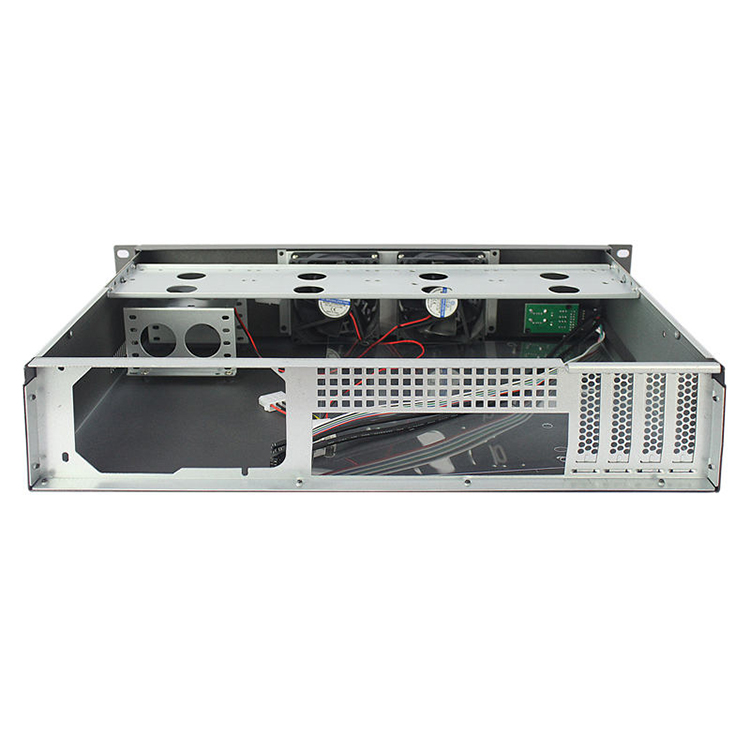
On iSTONECASE’s current Chasis de servidor 2U range, published configurations include platforms with 8, 12, or even 25 front drive positions depending on model, as well as configurations using 80 mm fans, redundant PSU options, and multiple PCIe expansion layouts.
That is a very different engineering envelope from 1U.
Why 2U Often Survives Project Changes Better
Imagine the first prototype uses:
one network card,
eight drives,
a moderate CPU,
no accelerator.
Easy.
Six months later, the customer wants:
a faster NIC,
another HBA,
higher-TDP processors,
more storage,
redundant power,
and possibly one GPU.
This is where extra chassis volume starts paying rent.
2U does not guarantee compatibility. You still need to verify card height, riser orientation, cooler height, PSU geometry, drive backplanes, and airflow. But you generally have more paths to solve a problem without throwing away the enclosure architecture.
That makes 2U especially attractive when specifications are still evolving.
Best Projects for 2U
2U is often a strong fit for:
virtualization nodes,
database servers,
enterprise application servers,
moderate-density storage,
security appliances,
video processing systems,
industrial computing,
telecom platforms,
one- or two-accelerator builds,
OEM server products where future SKU expansion is likely.
If a buyer asks me How to Choose a Rackmount Server, 2U is often the form factor I investigate first when there is no dominant constraint forcing the design smaller or larger.
Not because 2U always wins.
Because it keeps more options alive.
4U: When Hardware Freedom Matters More Than Rack Density
Four rack units sounds huge if your only KPI is servers per rack.
Then you start installing GPUs.
Or 24 drives.
Or multiple full-height PCIe cards.
Or large motherboard formats.
Or serious airflow hardware.
Suddenly 4U looks much less wasteful.
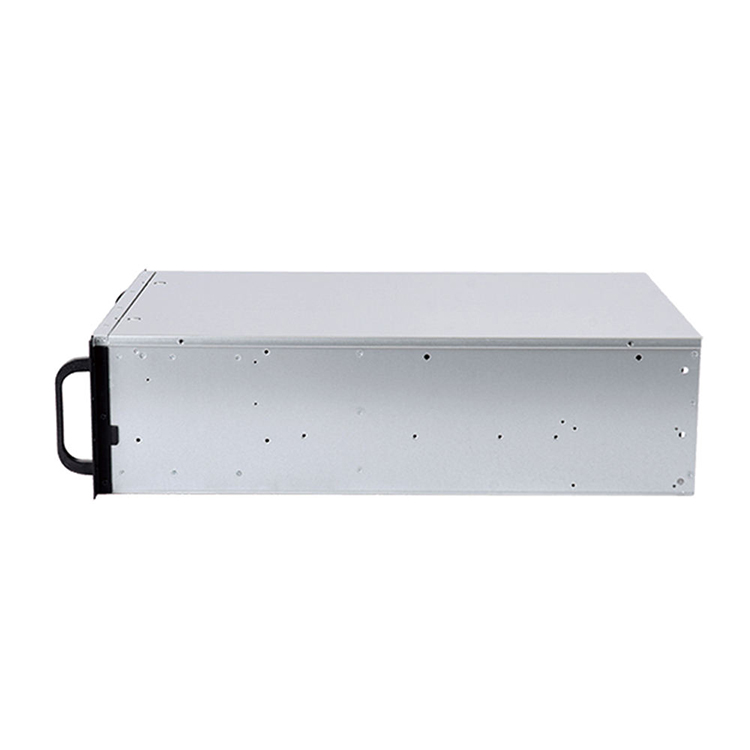
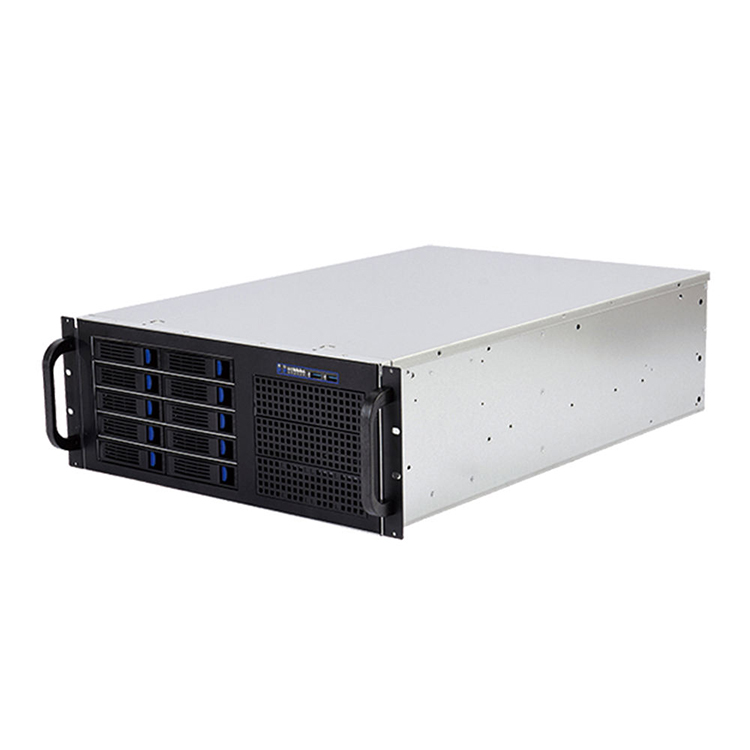
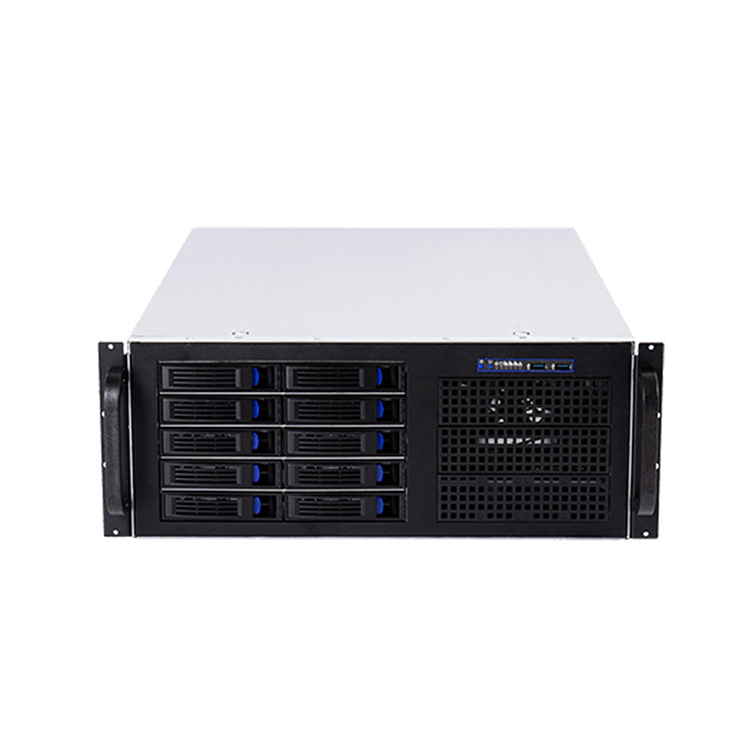
The current iSTONECASE Chasis de servidor 4U portfolio includes examples built around 24- and 36-drive storage configurations, larger 120 mm fan layouts, full-height PCIe expansion, GPU-oriented designs, and models with substantially more expansion capacity than typical 1U layouts.
The industry goes even further in accelerator systems.
GPU servers get the attention, but 4U has another advantage: conventional components are often easier to integrate.
Standard-height expansion cards become more practical.
Larger fans can fit.
ATX-style PSU options may become possible depending on the design.
Large CPU coolers and elaborate storage cages become easier to package.
Cable routing gets less absurd.
For industrial computing, broadcast, simulation, storage, laboratory systems, custom appliances, and engineering workstations, those benefits can outweigh the loss in rack density.
There is also a service issue that procurement teams sometimes miss.
A chassis that gives technicians more physical access can reduce the amount of disassembly needed when replacing cards, cables, fans, or storage hardware. That benefit is difficult to see on a dimensional drawing, but it becomes painfully obvious during maintenance.
Here Is the Opinion That Gets Me Pushback
Choosing 1U simply because it offers the highest theoretical rack density is often false economy.
Yes, I said it.
Rack density is not project density.
If a 1U system requires more specialized risers, smaller high-speed fans, unusual cooling hardware, constrained PSUs, custom brackets, and repeated engineering work every time the customer changes a component, those saved rack units are not free.
They are being paid for somewhere else.
Engineering hours.
Qualification.
Thermal testing.
Custom parts.
Field service.
Ruido.
Supplier dependency.
Future redesigns.
If the workload is fixed and engineered properly, 1U can be the best option by a mile.
But when I see a project roadmap that already mentions larger GPUs, more drives, extra PCIe cards, higher CPU power, or multiple future SKUs, I would rather “waste” another rack unit today than rebuild the platform six months later.
That is not overengineering.
It is avoiding predictable rework.
1U vs 2U vs 4U Server Comparison
Factor de decisión
1U
2U
4U
Rack density
Excellent
Bien
Bajo
CPU compute potential
High with engineered cooling
Alta
Alta
GPU flexibility
Limited
Moderado
Excellent
Full-height PCIe freedom
Usually constrained
Configuration-dependent
Fuerte
Storage capacity
Limited to high-density specialized layouts
Good to very good
Very good to excellent
Fan size
Usually small, high-speed
Medio
Larger options possible
Acoustic potential
Usually challenging
Better
Often easiest to optimize
PSU flexibility
More specialized
Better
Broadest in many designs
Cable-routing space
Estrecha
Moderado
Generous
Acceso al servicio
Estrecha
Moderado
Fuerte
Future hardware changes
Least forgiving
Good balance
Most forgiving
Mejor ajuste
Dense standardized compute
General-purpose enterprise/OEM
GPU, storage, industrial, custom expansion
The table is directional, not a compatibility guarantee.
Specific chassis designs can break these patterns.
A sophisticated 1U platform may outperform a badly engineered 4U system. A storage-focused 2U chassis can hold far more drives than a general-purpose 4U workstation-style enclosure.
The model matters.
So does the architecture.
The Seven Checks I Would Complete Before Issuing a PO
1. Motherboard Layout
Do not stop at “supports ATX” or “supports E-ATX.”
Confirm the actual board dimensions, standoff positions, power connectors, edge connectors, PCIe slot positions, RAM height, and cable exits.
Two boards carrying the same form-factor label can create very different integration problems.
2. GPU Dimensions and Orientation
Record:
length,
height,
thickness,
slot width,
PCIe location,
auxiliary power connector location,
airflow direction,
card weight,
support-bracket requirements.
Then model the installed card—not just the card body.
A 300 mm GPU does not require only 300 mm of chassis space. It also needs cable bend radius, airflow clearance, support, and access for assembly.
3. Cooling Architecture
Ask a better question than “How many fans does it have?”
You need to know:
fan diameter,
fan thickness,
static pressure,
airflow direction,
hot-swap requirement,
redundancy strategy,
CPU heatsink type,
GPU airflow path,
drive restriction,
filter resistance,
expected inlet temperature.
Cooling is a system.
A fan specification by itself tells you very little.
4. Storage and Backplane
Today’s eight-drive requirement has an annoying habit of becoming tomorrow’s twelve-drive requirement.
Confirm:
2.5-inch versus 3.5-inch,
SAS/SATA/NVMe,
hot-swap requirements,
expander architecture,
backplane interface,
cable type,
HBA or RAID-controller location,
future drive count.
Storage density can change the chassis decision surprisingly fast.
5. Power Supply
Do not specify only wattage.
A “1600 W PSU” is not a mechanical specification.
Check format, dimensions, redundancy, input requirements, connector type, cable exits, efficiency targets, hot-swap requirements, and compatibility with the expected peak load.
6. Rack Depth and Rails
The server fits.
Great.
Do the rails?
Do the cable arms?
Does the rear door still close after power cables are connected?
Can a technician actually pull the unit out far enough to service it?
This part sounds basic until the rack arrives on another continent.
7. The Next Hardware Revision
Ask one uncomfortable question:
What will the customer probably request next year?
More GPUs?
Faster networking?
Another HBA?
More drives?
A larger motherboard?
Higher-power processors?
Different front I/O?
If the obvious next revision already breaks your chassis, the enclosure is probably too small today.
Match the Form Factor to the Project
Edge Appliance or Network Security Platform
Start with 1U.
Compact systems with predictable CPU, NIC, and storage requirements benefit directly from rack density. If the platform is standardized and the thermal design is controlled, the smaller enclosure is a genuine advantage.
Virtualization or General Enterprise Server
Start with 2U.
The balance between density, memory, storage, cooling, and expansion gives engineering teams more flexibility while keeping rack consumption reasonable.
Storage Server
Evaluate 2U and 4U together.
Drive count changes everything. A dense 2U storage chassis can be extremely efficient, while 4U becomes attractive when the system needs more large-format drives, expansion cards, cooling volume, or easier service access.
AI, Rendering, Simulation, or GPU Compute
Start with the accelerator specification, not the rack height.
For one modest accelerator, 2U may work.
For multiple full-height, double-width cards, the economics often push the project toward 4U or a purpose-built GPU platform. Supermicro’s current GPU portfolio illustrates just how much accelerator density can be engineered into larger rackmount architectures.
Industrial or Laboratory System
2U or 4U is often easier to customize.
These projects frequently need unusual I/O, data-acquisition cards, frame grabbers, motion controllers, custom cabling, filters, front-access controls, or specialized power hardware.
Extra mechanical volume is useful here.
Very useful.
Do Not Buy U. Buy an Architecture.
There is no universally “best” server height.
1U is not automatically better because it is dense.
4U is not automatically better because it is large.
And 2U is not automatically the answer just because it sits in the middle.
The right choice comes from the finished hardware stack.
Start with the motherboard. Add processors and memory. Add every GPU and expansion card. Add storage and backplanes. Add the real PSU. Add fans, heatsinks, cables, rails, connectors, and service clearance.
Then look at the roadmap.
Only after that should you choose the enclosure height.
For B2B buyers, that approach changes the conversation from:
“How many U should we buy?”
to:
“What is the smallest form factor that can support this architecture reliably through its expected product life?”
That is a much better procurement question.
And it usually produces a much better server.
Preguntas frecuentes
Is 1U or 2U better for a server?
1U is better for maximum rack density; 2U is usually better when you need more cooling, storage, PCIe expansion, or upgrade flexibility.
The correct choice depends on the complete hardware configuration. A standardized compute node may favor 1U, while a changing OEM platform often benefits from 2U.
What is the main difference between a 1U and 2U server?
The main difference is vertical space: 1U is 1.75 inches high, while 2U is 3.5 inches high.
That additional height can allow larger fans, different PSU formats, more storage, improved card layouts, and greater cooling flexibility depending on the chassis design.
Can a GPU fit in a 1U server?
Yes, but only when the GPU, riser, power connection, airflow, and chassis are designed to work together.
Many conventional double-slot or tall consumer GPUs are poor candidates for generic 1U installations. Never assume PCIe electrical compatibility means mechanical compatibility.
Is 4U better for GPU servers?
4U is often better for multi-GPU systems because it provides more room for full-height cards, cooling, power delivery, and PCIe expansion.
Some purpose-built 4U systems are extremely dense; Supermicro has published 4U GPU configurations supporting up to 10 double-width GPUs.
How many 1U servers fit in a 42U rack?
The theoretical maximum is 42 1U devices.
Real deployments usually reserve rack space for networking, power equipment, cable management, storage, or other infrastructure, so usable server capacity may be lower.
Is 2U the best form factor for most server projects?
2U is often a strong compromise, but it is not automatically the best choice.
It offers more mechanical flexibility than 1U while preserving better rack density than 4U. Projects dominated by maximum density may favor 1U; GPU-heavy or expansion-heavy systems may favor 4U.
Should I choose server chassis size before selecting components?
No. Choose the chassis after defining the main hardware architecture.
Confirm the motherboard, CPU cooling, GPUs, storage, backplane, PSU, expansion cards, cables, rack depth, rails, and future upgrade requirements before locking the form factor.
What information should I send a server chassis supplier?
Detailed component information allows the supplier to check mechanical compatibility before prototyping or mass production.
Mark Lee - Founder & Server Chassis OEM/ODM Specialist
Mark Lee is the founder of ISTONECASE, with 20 years of experience in the server chassis industry. He specializes in OEM/ODM solutions for GPU and AI, rackmount, industrial, wallmount, NAS, Mini-ITX and multi-node chassis. His expertise supports customized hardware projects for data centers, AI computing, enterprise storage, edge computing, networking and industrial applications.