Свяжитесь с нашими Серверное шасси Инженеры и отдел продаж
24 тысячи подписчиков
Сообщите нам о назначении оборудования, типе шасси, высоте стойки, материнской плате, графическом процессоре, отсеках для дисков, блоке питания, системе охлаждения, разъемах ввода-вывода и количестве, необходимом для заказа. Наши инженеры и специалисты отдела продаж подберут для вашего проекта стандартную модель или конфигурацию по схеме OEM/ODM.
A high-density AI enclosure should be designed around the complete GPU, CPU, motherboard, PSU, networking, storage, and cooling architecture—not around rack units alone.
NVIDIA documents current rack-scale AI platforms with power requirements well above 100 kW, showing how far AI infrastructure has moved beyond conventional server-density assumptions.
GPU clearance is only the first mechanical check. Card spacing, retention, cable bend radius, power connectors, airflow resistance, and maintenance access matter just as much.
Cooling architecture should be decided before the internal chassis layout is frozen.
Maximum GPU density is not automatically good engineering. A slightly larger chassis may deliver better sustained compute performance and far easier field service.
Prototype testing should reproduce realistic heat load, fan behavior, cable routing, GPU weight, PSU configuration, and expected service procedures before volume production.
AI hardware has changed the meaning of “high density.”
A few years ago, a server enclosure project might begin with motherboard dimensions, drive bays, PCIe slots, PSU format, and rack height. Those inputs still matter. But an AI computing project adds another layer of difficulty: multiple high-power accelerators packed into a small volume, very high current demand, heavy cards, dense cable bundles, restrictive heat sinks, fast networking, and cooling hardware competing for the same millimeters of space.
That changes the job completely.
The question is no longer simply, “Can we fit eight GPUs into this chassis?”
A better question is:
“Can we fit the entire system into this chassis and keep it running at sustained workload without creating a thermal, electrical, structural, or maintenance problem?”
That is the design philosophy behind a serious Custom AI Server Chassis.
AI Rack Density Has Moved Into a Different Class
Current rack-scale AI platforms show why enclosure engineering needs more attention.
NVIDIA’s GB300 NVL72 reference architecture integrates 72 Blackwell Ultra GPUs and 36 Grace CPUs. NVIDIA states that the rack is liquid cooled, uses eight 33 kW power shelves, and can require up to 142 kW for a full rack.
That is not ordinary server-room density.
NVIDIA’s separate Mission Control power-management documentation lists designed rack power of 120 kW for GB200 NVL72 and 135 kW for GB300 NVL72, with maximum node budgets of approximately 6.7 kW and 7.5 kW respectively. These figures are presented in a power-budgeting context, so they should not be treated as interchangeable with every maximum rack specification, but they illustrate the same engineering reality: modern AI compute can push enormous power through a very small physical footprint.
Reference Point
Published Figure
What It Means for Enclosure Design
NVIDIA GB300 NVL72
72 GPUs + 36 Grace CPUs
Extremely dense compute, networking, power, and coolant routing
GB300 NVL72 full-rack requirement
Up to 142 kW
Thermal and power architecture cannot be an afterthought
GB300 designed rack power in NVIDIA PRS example
135 kW
Power distribution and headroom must be considered at system level
GB300 maximum node power in PRS example
7.5 kW
Individual compute trays can carry substantial thermal load
IEA accelerated-server electricity growth
~30% annually in Base Case
High-density accelerated computing is likely to become more common
The broader trend points in the same direction. The International Energy Agency’s Energy and AI analysis projects global data-center electricity consumption to reach around 945 TWh by 2030 in its Base Case. Electricity use from accelerated servers, driven mainly by AI adoption, is projected to grow approximately 30% per year, compared with around 9% for conventional servers.
For enclosure designers and OEM buyers, that matters.
More accelerated hardware means more projects where power density, GPU loading, cooling capacity, cable management, and service access become first-order mechanical requirements.
Start With the Workload, Not the Sheet Metal
One of the fastest ways to derail a custom enclosure project is to start CAD before the compute architecture is stable.
Don’t do it.
Before chassis geometry is frozen, the engineering team should know the intended workload and the major components expected inside the system.
At minimum, lock down:
GPU model and quantity
GPU dimensions and slot width
GPU power connector location
Motherboard model and drawing
CPU platform and cooler geometry
DIMM height and keep-out zones
PCIe risers or switching architecture
NVMe and storage requirements
Network adapters and interconnects
PSU type, quantity, and redundancy
Maximum expected system power
Fan size, thickness, pressure requirement, and control method
Air or liquid cooling strategy
Radiator, manifold, CDU, or hose requirements where applicable
Front and rear I/O
Rack depth
Rail arrangement
Maintenance direction
Target production quantity
An AI Server Enclosure should be engineered around this combined package. Changing one part later can trigger a chain reaction through the rest of the design.
Swap the GPU?
The connector location may move.
Change the PSU?
The cable bundle changes.
Add another network card?
Now the riser geometry changes.
Increase the fan thickness?
Suddenly the GPU power cable has nowhere comfortable to bend.
Millimeters pile up quickly.
GPU Fit Is More Than Length × Height × Width
This sounds obvious, but it causes expensive mistakes.
A GPU fitting inside the chassis does not mean the GPU works inside the chassis.
That includes the card body, heat sink, power connector, connector bend radius, adjacent card clearance, motherboard slot position, retention hardware, riser location, fan wall, cabling, and the direction in which a technician needs to remove the card.
Heavy accelerators create another issue: gravity.
Long cards can apply substantial leverage to the PCIe connection and rear mounting area. Shipping vibration makes that worse. A GPU that survives stationary operation on a lab bench may behave very differently after international freight, rack installation, repeated service cycles, or vibration from high-speed fans.
For dense systems, GPU retention should be part of the chassis structure—not an accessory someone remembers two days before shipment.
Cooling Architecture Should Be Frozen Early
Heat does not care how good the CAD drawing looks.
A dense server can be mechanically perfect and thermally awful.
For air-cooled systems, the chassis needs a deliberate pressure path. Air should enter where the hardware expects it, pass through the high-resistance components, and leave the enclosure without repeatedly circulating through hot zones.
That sounds simple.
It isn’t.
Cables sit in the way. Drive cages sit in the way. PSU housings sit in the way. Tall DIMMs, risers, structural beams, radiator brackets, connectors, filters, backplanes, and even badly positioned sheet-metal flanges can steal pressure from the airflow path.
A High-Density AI Rack therefore cannot be designed by counting fan positions alone.
“Six fans” tells me almost nothing.
I want to know fan dimensions, fan curves, static pressure, restriction, inlet temperature, exhaust path, control strategy, component impedance, and what happens when one fan stops.
Those are useful questions.
Air Cooling vs Liquid Cooling
Design Factor
Воздушное охлаждение
Жидкостное охлаждение
Mechanical complexity
Нижний
Выше
Chassis airflow dependency
Очень высокий
Reduced for liquid-cooled components
Facility integration
Usually simpler
May require CDU, manifold, hoses, facility water connection
Leak-management requirement
No coolant loop
Да
Service procedures
Familiar to most technicians
Requires coolant-aware service procedures
Suitability as heat density rises
Increasingly difficult
Often more practical
Internal space competition
Fans and ducts
Cold plates, tubing, manifolds, connectors
Failure planning
Fan redundancy and airflow loss
Pump, CDU, leak, flow, and facility-loop scenarios
The technician needs enough room to disconnect and reconnect a loop without removing unrelated hardware or soaking electronics.
NVIDIA’s GB300 NVL72 architecture itself uses rack-level and tray-level leakage detection alongside liquid cooling, which is a useful reminder that coolant management is part of the system architecture, not simply a cold plate bolted onto a GPU.
Power Density Changes the Mechanical Layout
Power distribution is often treated as an electrical topic.
Inside a dense enclosure, it is also very much a mechanical topic.
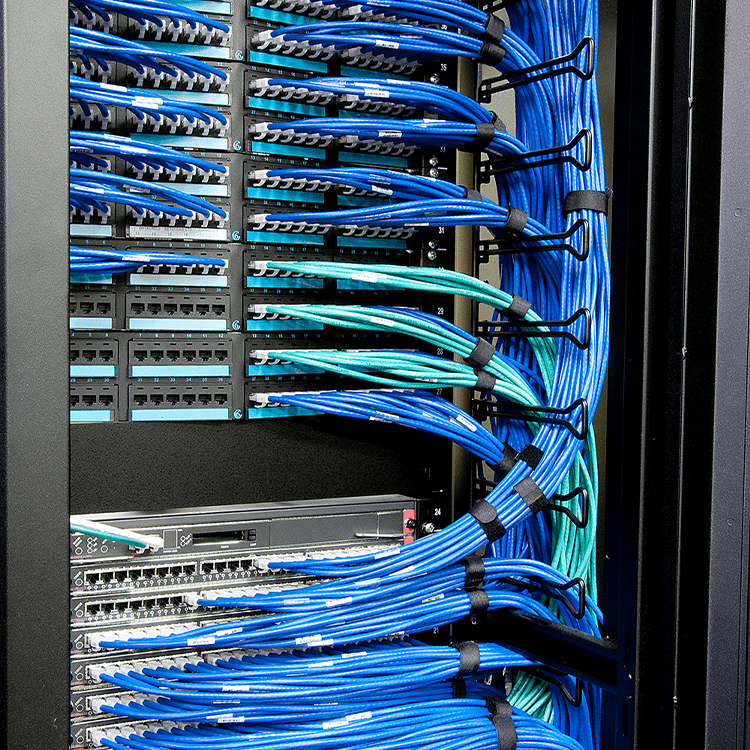
High-current power means larger connectors, more cables, tighter bend limitations, additional busbar considerations, higher connector temperatures, and less freedom to route wiring through whatever space remains after the “important” components are installed.
The power architecture needs physical territory.
Reserve it.
A chassis designed around multiple accelerators may need redundant power supplies, high-current distribution, accessible connectors, safe cable separation, airflow around the PSU zone, and room to replace a failed module without pulling the server apart.
Именно здесь High-Density Server Chassis can go wrong even when the component list looks perfectly compatible on paper.
Everything fits.
Nothing is serviceable.
The 30–40 kW Rack Story That Changed How I Think About Density
Recently, while reviewing industry discussions, I came across an older r/sysadmin thread about high-density rack cooling that stuck with me.
The original poster had several NVIDIA DGX systems plus storage equipment and was exploring how to fit roughly 30–40 kW into one rack. One participant described operating cabinets at up to about 36 kW and said the margin during cooling failure could be brutally small—around 20 seconds before thermal shutdown for many systems in that specific deployment. Other engineers in the thread repeatedly raised the same concerns: cooling availability, facility power, emergency shutdown, plumbing, maintenance expertise, and the risks created by concentrating so much heat in one cabinet.
That discussion caught my attention because buyers sometimes start a custom AI project with one seductive question:
How much compute can we squeeze into this space?
Wrong first question.
The better one is:
How much compute can this enclosure support continuously, safely, and serviceably under the real facility conditions?
A chassis can look fantastic on a CAD screen. Every component fits. Every rack unit is occupied.
Then the workload starts.
Fans ramp.
Cable temperatures rise.
GPU exhaust collides with another heat source.
One component throttles.
A technician tries to remove a card and discovers that three cables and a manifold are blocking it.
That is not high-density engineering.
That is high-density packaging.
There is a difference.
Here Is the Part Many Buyers Don’t Like Hearing
Maximum component density is often a bad design target for a custom AI enclosure.
Yes, I said it.
“Eight GPUs in 4U” looks great in a comparison table.
“Maximum compute per rack unit” looks great in a procurement presentation.
But one more GPU is worthless if adding it creates poor airflow, thermal throttling, inaccessible connectors, overloaded power routing, difficult field repairs, or zero margin when room conditions drift away from the perfect laboratory assumption.
The winning enclosure is not automatically the smallest one.
For many projects, I would rather build a slightly larger chassis with predictable airflow, solid GPU support, clean power distribution, logical cable routes, accessible fans, and enough room for technicians to work than win a density contest that makes the finished system miserable to operate.
The best high-density enclosure is the one that can sustain the workload.
Not the one that wins the Tetris game.
Serviceability Has to Be Designed In
Ask a simple question during CAD review:
What fails first, and how do we replace it?
Then physically simulate the answer.
Can the technician replace a fan without removing GPUs?
Can the PSU come out from the rear?
Can a network adapter be accessed without disturbing coolant hoses?
Can a GPU be removed vertically or horizontally without disconnecting unrelated cables?
Can the front panel be serviced without pulling the complete server?
Can a leaking fitting be reached quickly?
Can a failed boot drive be swapped without touching the compute section?
These questions are not glamorous.
They save money.
For a system integrator building 50, 100, or 500 machines, a few extra minutes of service time per unit becomes real operational cost. A poor access sequence also raises the chance that technicians damage nearby cables, connectors, cards, or tubing while fixing something unrelated.
That is why a Custom Rackmount Enclosure should be designed not only for assembly but also for disassembly.
Production engineers build it once.
Your customer may service it for years.
Structural Design Matters More as GPUs Get Bigger
AI servers are heavy.
Sometimes extremely heavy.
The chassis has to manage that load during assembly, transport, rack insertion, normal operation, and maintenance. Long GPU cards, multiple PSUs, large motherboards, copper heat sinks, radiators, manifolds, and dense storage can all shift the center of mass.
Проверьте:
Sheet-metal thickness
Bend geometry
Local reinforcement
GPU brackets
PSU support
Rail mounting locations
Handle loads
Rack insertion forces
Chassis sag
Torsional stiffness
Shipping orientation
Drop and vibration risks
A bracket may look insignificant in isolation.
Multiply that tiny deflection across a long heavy card, add shipping vibration, then repeat it across a production batch.
Now it matters.
Prototype Testing Should Try to Break Your Assumptions
A prototype is not just a metal sample for checking whether the screw holes line up.
Use it aggressively.
Load the actual motherboard.
Install the actual GPUs.
Use production-equivalent power cables.
Install the same risers, drives, network adapters, fans, radiators, tubing, PSUs, rails, and front-panel assemblies expected in the finished server.
Then test the ugly conditions.
Mechanical Validation
Check component installation, card retention, cable routing, connector access, chassis stiffness, rail engagement, lid fit, and service sequence.
Thermal Validation
Run representative workloads. Measure inlet and exhaust temperatures, component temperatures, fan behavior, hot zones, and performance under expected ambient conditions.
Power Validation
Confirm PSU loading, redundancy behavior, cable temperatures, connector temperatures, power distribution, and startup behavior.
Failure Validation
What happens when one fan stops?
What happens when a coolant pump or facility loop has a problem?
What happens when one PSU fails?
What happens if a filter becomes partially obstructed?
What happens when ambient temperature increases?
Shipping Validation
A machine that passes a thermal test but arrives with GPUs shifted inside the chassis is still a failed design.
Test packaging, retention, vibration resistance, brackets, fasteners, and heavy-component support before volume shipment.
What Should Be Included in the RFQ?
A weak RFQ produces assumptions.
Assumptions produce revisions.
Revisions cost time.
For a custom AI chassis project, send the supplier enough information to evaluate the complete system architecture rather than quote an empty metal shell.
A useful RFQ package should include:
RFQ Input
Information to Provide
Форм-фактор
Target U height, width, depth
Материнская плата
Model, dimensions, drawings, mounting locations
GPU
Exact model, quantity, dimensions, slot width, power
The more complete the input, the earlier mechanical conflicts can be found.
Finding a 12 mm interference in CAD is cheap.
Finding it after tooling, fabrication, assembly, and international shipping is not.
Build Around Sustained Compute, Not a Density Number
High-density AI systems force mechanical, thermal, electrical, and facility engineering to meet in one box.
That is why a Custom AI Server Chassis should never be specified by rack height and GPU count alone.
Start with the complete bill of materials.
Model the heat.
Reserve space for power.
Support the GPUs.
Plan the cable paths.
Decide the cooling architecture early.
Design access around the parts most likely to need service.
Then prototype the actual system—not an empty enclosure.
AI compute density will keep rising. The IEA’s projections for accelerated-server electricity use and today’s 100 kW-plus rack architectures already point in that direction.
The manufacturers and system integrators that handle that density well will not be the ones who simply make smaller boxes.
They will be the ones who understand what has to happen inside those boxes when the workload hits 100%.
Вопросы и ответы
What is a custom AI server chassis?
Short answer: A custom AI server chassis is an enclosure engineered around a specific combination of GPUs, CPUs, motherboard, storage, networking, power, cooling, and rack requirements.
Unlike a generic server case, its internal layout can be optimized for accelerator spacing, structural support, airflow, liquid cooling, cable routing, redundant power, and maintenance access.
What makes a server chassis “high density”?
Short answer: A high-density server chassis places a large amount of compute, storage, or accelerator hardware into a limited rack space while maintaining adequate power delivery, cooling, structural support, and service access.
Density should be evaluated by usable sustained performance, not component count alone.
Is 4U always better than 5U or 6U for GPU servers?
Short answer: No. A smaller chassis can improve rack density, but 5U or 6U may provide better cooling capacity, GPU spacing, cable routing, expansion, and maintenance access.
The correct form factor depends on GPU type, power, cooling strategy, motherboard layout, and operational requirements.
When should an AI server use liquid cooling?
Short answer: Liquid cooling becomes attractive when heat density, accelerator power, rack density, noise limits, or airflow restrictions make conventional air cooling difficult to manage efficiently.
The decision must also consider facility water, CDU requirements, manifolds, leak management, service procedures, and redundancy.
What information does a chassis manufacturer need before designing an AI enclosure?
Short answer: Provide the GPU, motherboard, CPU, PSU, storage, networking, PCIe, cooling, rack dimensions, I/O, rail requirements, production volume, and target market.
Exact component drawings are far more useful than generic statements such as “8-GPU AI server.”
Why is GPU retention important in a high-density server?
Short answer: Heavy GPUs can place mechanical stress on PCIe slots, brackets, and chassis structures during operation, shipping, and maintenance.
Proper retention controls card movement, distributes mechanical load, and reduces the risk of connector or board damage.
Should maximum GPU count be the main design target?
Short answer: Usually not. The better target is the highest practical compute density that can maintain thermal performance, reliable power delivery, structural stability, and acceptable service access.
One extra GPU is not valuable if the resulting system throttles or becomes difficult to maintain.
Mark Lee - Founder & Server Chassis OEM/ODM Specialist
Mark Lee is the founder of ISTONECASE, with 20 years of experience in the server chassis industry. He specializes in OEM/ODM solutions for GPU and AI, rackmount, industrial, wallmount, NAS, Mini-ITX and multi-node chassis. His expertise supports customized hardware projects for data centers, AI computing, enterprise storage, edge computing, networking and industrial applications.