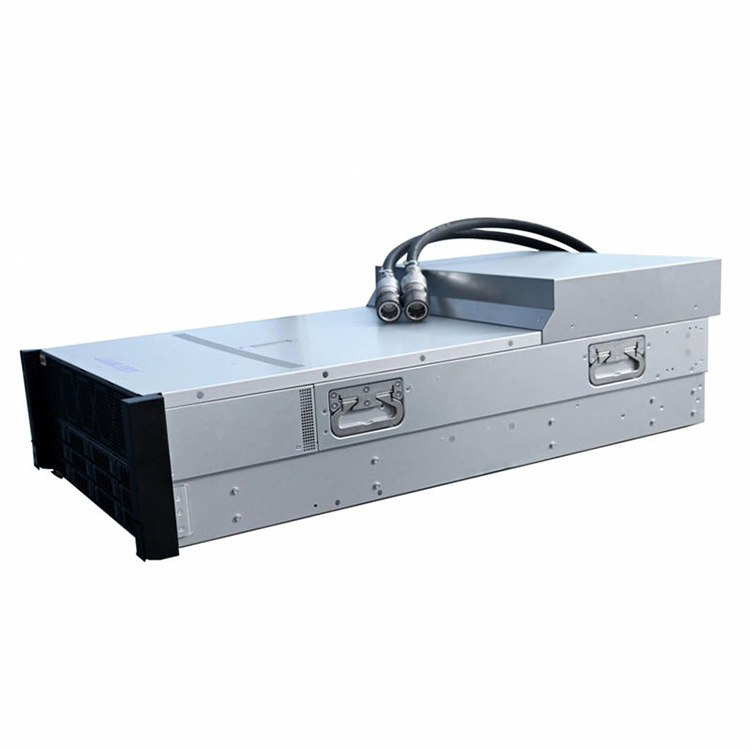
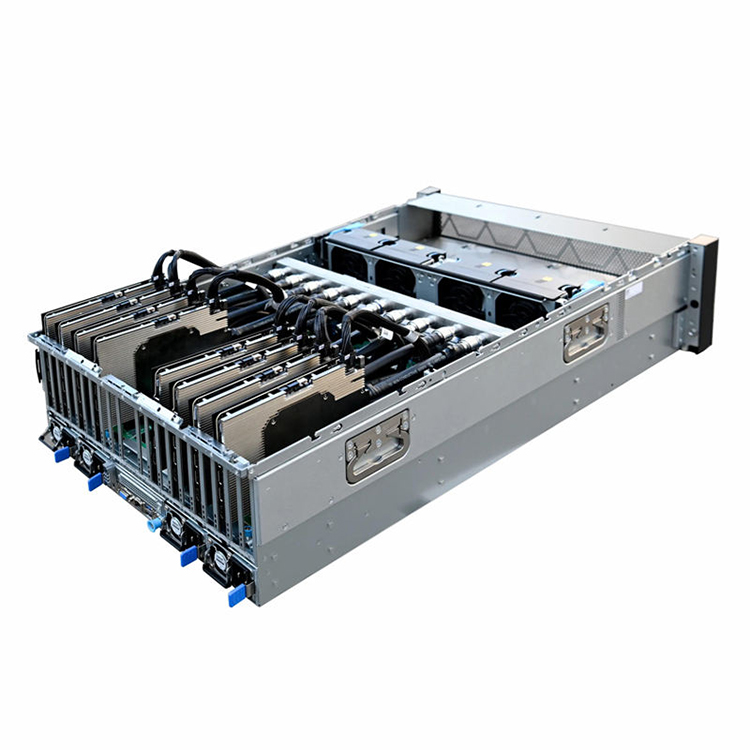
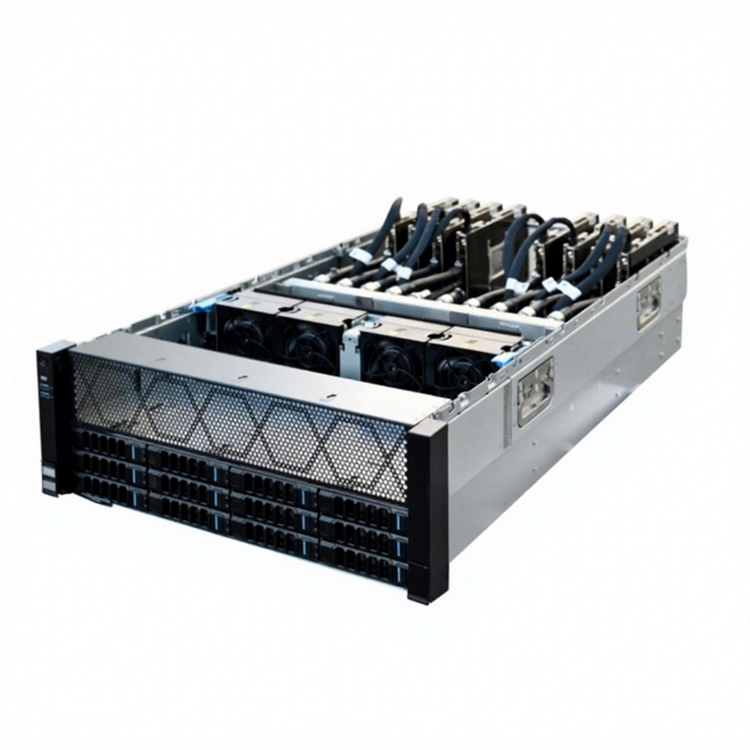
Tell us your application, chassis type, rack height, motherboard, GPU, drive bays, power supply, cooling, I/O and order quantity. Our engineers and sales team will recommend a standard model or OEM/ODM configuration for your project.
Air cooling is still a strong choice when heat density, noise targets, chassis volume, and ambient conditions remain within a well-engineered airflow envelope.
Liquid cooling becomes more attractive as sustained processor power, GPU density, acoustic limits, or space constraints make air movement increasingly difficult.
A larger radiator does not make a system automatically safe. Pumps, coolant flow, radiator placement, fan pressure, monitoring, and service access all become part of the reliability model.
High-power buyers should evaluate cooling at the complete-system level: CPU, GPUs, memory, VRMs, storage, backplanes, PSUs, cables, filters, rack inlet temperature, and future hardware revisions.
The right answer is rarely “air” or “liquid” in isolation. It is the cooling architecture that can hold the required workload, temperature, noise, uptime, and maintenance targets inside the actual chassis.
A high-power system can look fine on a specification sheet and still cook itself in production.
That is the uncomfortable part.
When engineers debate Air Cooling vs Liquid Cooling, the discussion often collapses into cooler size, fan count, radiator length, or a simple “liquid is better” rule. For a gaming desktop, that shortcut may only waste some money. For a workstation, GPU server, industrial computer, or AI platform that runs sustained loads for hours, the same shortcut can turn into throttling, noisy fan curves, service headaches, or a chassis redesign.
The reason is simple: cooling is not a component. It is a system.
A PC Cooling System has to move heat away from silicon, through a heat-transfer interface, into air or coolant, through a heatsink or radiator, and finally out of the enclosure and room. Any weak link in that chain can erase the advantage of an expensive cooler.
That is why serious B2B buyers should start with heat load and operating conditions, not with a cooler catalog.
Why This Question Is Getting Harder
Processor power is not standing still.
AMD lists the Ryzen Threadripper PRO 9995WX at a 350W default TDP, a figure that puts workstation cooling firmly into engineering territory rather than casual component selection.
Intel provides another useful warning against reading only the base-power number. The Core Ultra 9 285K is rated at 125W processor base power but 250W maximum turbo power.
That gap matters.
A cooler selected around a base figure may behave very differently once a CPU sits under sustained boost, rendering, simulation, compilation, transcoding, AI inference, or other long-duration workloads. Add multiple accelerators and the thermal problem stops being “CPU cooling” altogether.
On iSTONECASE’s GPU and AI server platform pages, the design problem is framed around GPU spacing, airflow, power delivery, storage, service access, and liquid-loop architecture together. That is the right frame for High Performance PC Cooling because the chassis is part of the thermal solution, not just the box around it.
Air Cooling vs Liquid Cooling: The Engineering Difference
Air cooling and liquid cooling do the same job through different heat-transfer paths.
With air cooling, heat moves from the processor into a cold plate or heat spreader, through heat pipes or a vapor chamber into a fin stack, and then into moving air. The chassis must supply enough cool intake air and remove the heated exhaust without recirculation.
With liquid cooling, heat moves into a cold plate, enters coolant, travels through tubing to a radiator or heat exchanger, and then transfers into another air or facility-water path. The system gains more flexibility in where heat is rejected, but it also gains pumps, seals, fittings, manifolds, fluid paths, and additional failure points.
Neither architecture gets a free pass.
Decision Factor
Air Cooling
Liquid Cooling
Heat-transfer path
Heatsink/heat pipes to chassis air
Cold plate to coolant to radiator/heat exchanger
Mechanical complexity
Lower
Higher
Pump required
No
Yes
Leak risk
No liquid loop
Present, though design-dependent
Service simplicity
Usually easier
More procedures and components
Space at CPU socket
Large heatsink may interfere with RAM or nearby hardware
Smaller cold plate, but radiator/tubing need space
Sustained high heat density
Can become difficult as airflow requirements rise
Often better suited to concentrated heat loads
Chassis airflow dependence
Very high
Still important for radiator, VRMs, memory, drives, and PSUs
Failure behavior
Fan failure or dust restriction usually degrades airflow
Pump or flow failure can cause rapid temperature rise
Dense, high-power, noise-limited, or thermally constrained systems
The table looks tidy. Real systems are not.
A giant tower air cooler in a roomy 4U enclosure can outperform a badly positioned liquid loop. A large radiator can also underperform if hot GPU exhaust feeds it, if the fan wall cannot overcome restriction, or if cabling blocks the intended flow path.
This is why an Air Cooler vs AIO comparison should never happen without discussing enclosure height and internal geometry. A 1U chassis, a 2U rackmount server, and a 4U GPU platform give an engineer completely different thermal tools. iSTONECASE’s form-factor guide specifically notes differences in fan size, GPU flexibility, cooling options, and the need to evaluate static pressure and the complete airflow path.
When Air Cooling Is the Better Choice
Air cooling has one enormous advantage that procurement teams often undervalue: simplicity.
No pump. No coolant loop. Fewer interfaces. Fewer things to diagnose during field service.
That matters when a system is deployed across dozens, hundreds, or thousands of locations and the people servicing it are not thermal engineers. If a fan fails, it is usually obvious. If a filter clogs, technicians can inspect it. If a heatsink is dusty, the problem is visible.
Good CPU Air Cooling is especially attractive when the chassis gives the heatsink enough vertical clearance and provides a strong, predictable intake-to-exhaust path. In rack systems, form factor changes what is possible, which is why fan diameter, static pressure, CPU heatsink type, GPU airflow path, drive restriction, and inlet temperature need to be defined before a buyer locks the enclosure.
Air cooling is often the better B2B choice when:
the thermal load is known and stable;
the chassis has enough airflow cross-section;
acoustic limits are not unusually strict;
dust control and filtration are manageable;
field service needs to be simple;
the deployment has no facility-water infrastructure;
long replacement cycles favor fewer active cooling components.
There is a catch.
Air cooling gets expensive in other ways as heat density rises. You may need faster fans, higher static pressure, larger heatsinks, more open airflow paths, more fan redundancy, and more chassis volume. Noise can climb quickly. So can the electrical demand from increasingly aggressive fan systems.
At some point, “simple air cooling” becomes a fairly aggressive mechanical system.
When Liquid Cooling Starts to Earn Its Keep
Liquid cooling earns its place when air becomes the bottleneck.
Not when the marketing team wants a premium specification. Not when the sales page looks better with a radiator. When the thermal math says the system needs it.
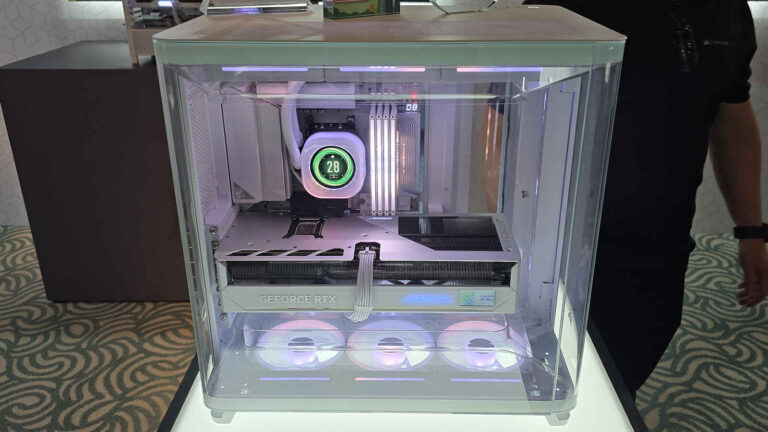
For a workstation or tower PC, AIO Liquid Cooling can move heat rejection away from the CPU socket and give the processor more sustained thermal headroom. For a rackmount GPU or AI server, the same basic logic scales into radiator-based loops, direct-to-chip cooling, cold plates, manifolds, and facility-water integration.
On custom server projects, that choice has to be designed into the enclosure early. Radiator clearance, tubing paths, pump location, service access, leak management, fan walls, power architecture, and facility interfaces compete for physical space. That is why AIO Liquid Cooling should be treated as an architecture input during OEM/ODM chassis development rather than an accessory added after the mechanical layout is finished. iSTONECASE’s OEM/ODM information likewise treats cooling, accelerator layout, power, cabling, and enclosure design as configuration-level inputs.
Liquid cooling becomes compelling when:
sustained CPU or GPU heat density exceeds what practical airflow can remove;
the enclosure cannot fit the required air heatsink;
high fan speeds violate acoustic targets;
rack density makes larger air channels impractical;
the project needs better control over where heat is rejected;
high-value workloads are losing performance because of thermal limits;
the facility already supports the required liquid infrastructure.
There is also evidence that cooling architecture can affect sustained compute under very high thermal loads.
A 2025 study comparing two eight-GPU NVIDIA H100 HGX systems reported 41–50°C GPU temperatures in the liquid-cooled system versus 54–72°C in the air-cooled system under load. In that tested configuration, the authors also reported about 17% higher performance, or 54 TFLOPS per GPU versus 46 TFLOPS per GPU, for the liquid-cooled node.
Do not turn that into “liquid cooling makes every computer 17% faster.”
It does not.
The result belongs to those tested H100 systems, workloads, and cooling configurations. What it does show is more useful: when thermal conditions materially affect sustained accelerator operation, cooling architecture can become a performance variable instead of a housekeeping detail.
The Failure Story Buyers Rarely Put in an RFQ
Recently, while reviewing PC-building and cooling forum cases for this article, I came across one that should make any system integrator uncomfortable.
A builder had installed a 360 mm AIO expecting it to handle a high-performance CPU easily. Instead, the processor hit 95°C+ almost immediately and began throttling within a minute or two of benchmarking. The discussion quickly moved toward a suspected pump or coolant-flow problem rather than radiator size. The original thread is still available in this AIO pump troubleshooting discussion.
That detail stuck with me.
The fans could still spin. The radiator could still be sitting there looking perfectly capable. The machine could still appear to be “liquid cooled.”
But if the pump is not moving coolant correctly, the architecture has effectively stopped doing its job.
That is the procurement lesson. Buying the more sophisticated cooling technology does not remove thermal risk.
It changes the risk.
For a B2B system, I want to know the pump-speed signal, flow monitoring strategy, fail-safe behavior, temperature alarms, service procedure, spare-part plan, radiator accessibility, tube routing, and what the system does if coolant circulation degrades.
“360 mm AIO included” is not a thermal validation report.
The Unpopular View: Liquid Cooling Everywhere Is Lazy Engineering
Here is the opinion that usually gets pushback:
Putting liquid cooling into every high-power system is lazy engineering, not premium engineering.
Yes, liquid has real advantages. It can handle concentrated heat loads, move heat to a more convenient rejection point, reduce dependence on massive socket heatsinks, and support dense computing architectures that would be awkward or impossible with conventional air cooling.
But “liquid cooled” is not a performance specification.
It tells me the transport medium. It does not tell me whether the cold plate is appropriate, the pump is reliable, the radiator has enough capacity, the fan curve works at the real inlet temperature, the loop is serviceable, the chassis avoids recirculation, or the system can survive a partial failure.
The same goes the other way.
“Air cooled” is not code for cheap.
A well-designed air system with properly selected heatsinks, pressure-capable fans, clean ducting, controlled bypass, and realistic inlet assumptions can be the more practical engineering choice for many deployments.
My rule is simple:
Do not buy the cooling technology first and justify it afterward. Define the heat load, acceptable component temperature, noise limit, chassis volume, airflow resistance, maintenance expectation, uptime requirement, and failure tolerance first. Then choose air or liquid.
That is how engineers should decide.
Why Chassis Design Can Decide the Winner Before the Cooler Is Chosen
Buyers often ask for the best cooling solution as though the cooler can be selected independently.
It cannot.
The enclosure controls fan size, pressure loss, radiator area, GPU spacing, CPU heatsink height, cable paths, intake area, exhaust area, filter resistance, PSU position, drive obstruction, and service access. In dense GPU systems, these mechanical details can dominate the cooling result.
A Best Cooling for High Power PC decision therefore starts with the hardware stack and chassis geometry. A 4U GPU platform can offer more room for larger fans, full-height expansion cards, broader cooling layouts, and high-density accelerator configurations than tighter rack formats, but the larger enclosure still needs a deliberate thermal architecture.
Think about the path.
Where does cool air enter?
What is the first high-impedance object it encounters?
Does it pass through a drive wall before reaching the CPU?
Does a GPU dump heated air toward the radiator?
Can cables create a recirculation pocket?
Does the PSU steal intake air from the accelerator zone?
Can a failed fan be replaced from the front or rear without removing the server?
Can the radiator be serviced without stripping the entire machine?
These are not secondary details.
They are the actual cooling system.
A Practical Selection Framework for B2B Buyers
Before you approve a cooling concept, put these inputs in the RFQ.
1. Define the Real Heat Sources
List the CPU, GPU or accelerator count, memory configuration, storage, NICs, HBAs, VRMs, PSUs, and any other high-load electronics.
Use expected sustained power, not only headline TDP values.
2. Define the Workload
A system that spikes for 30 seconds is different from one that renders, trains, compiles, or simulates for 12 hours.
Thermal mass can hide short bursts.
It cannot hide sustained heat.
3. Define the Inlet Condition
Do not benchmark only on an open bench in a 21°C room and assume the result represents a loaded rack.
State the expected inlet-air temperature range, altitude if relevant, dust environment, rack-door restriction, and neighboring heat sources.
4. Define Temperature and Throttling Limits
Specify what success means.
“No shutdown” is a terrible thermal target.
Track CPU package temperature, GPU temperature, memory temperature where available, VRM temperature, storage temperature, fan speed, pump speed or flow data, and any thermal-throttling indicators during sustained tests.
5. Define Acoustics
A cooling system can “pass” thermally by sounding like a small turbine.
For office workstations, laboratory systems, broadcast equipment, and edge appliances located near people, acoustic performance may be a buying constraint. For remote data-center racks, the priority may shift toward thermal margin and redundancy.
6. Define Service and Failure Behavior
Ask what happens when one fan fails.
Then ask what happens when one pump fails.
Those are different events.
For liquid systems, specify leak detection if required, pump telemetry, alarm logic, coolant-service expectations, fitting accessibility, and replacement procedures. For air systems, define fan redundancy, hot-swap needs, filter access, and cleaning intervals.
7. Validate the Chassis With the Final Bill of Materials
Never approve cooling from an empty chassis.
Install the real motherboard. Real memory. Real GPUs. Real storage. Real PSUs. Real cables. Real filters. Real front panel. Real fan wall.
Then stress it.
The manufacturer’s GPU/AI chassis guidance makes the same system-level point: airflow direction, fan pressure, cable obstruction, liquid-loop architecture, supply redundancy, and facility conditions need to be evaluated together before deployment.
Air vs Liquid by Buyer Priority
Buyer Priority
Usually Favors
Why
Lowest mechanical complexity
Air
Fewer active and fluid-handling components
Simple field repair
Air
Fans and heatsinks are generally easier to inspect and replace
Maximum heat-density capability
Liquid
Moves concentrated heat with less dependence on large air volume
Minimal socket-area obstruction
Liquid
Cold plate can free space around the processor socket
No facility-water support
Air or self-contained AIO
Avoids external liquid infrastructure
Dense AI/HPC deployment
Liquid or hybrid
Often provides more thermal headroom at high accelerator density
Dust-heavy environment
Depends
Air needs filtration; liquid still needs cooling for non-water-blocked components
Long unattended deployment
Depends
Air simplifies hardware; liquid may reduce fan burden but adds pump/loop monitoring
Noise-sensitive high-power workstation
Often liquid
Larger radiator area may reduce required fan speed, depending on design
Fast service with commodity spares
Often air
Standard fans and heatsinks may simplify stocking
Notice how many rows say “depends.”
That is not evasive.
It is engineering.
Do Not Forget the Components That Your Liquid Loop Does Not Cool
This is one of the easiest mistakes to make.
A liquid-cooled CPU can report a beautiful temperature while memory, VRMs, SSDs, network cards, backplanes, or GPU-adjacent components sit in a stagnant hot zone.
Air cooling forces designers to think about chassis airflow because the CPU depends on it directly. Liquid cooling can create a false sense that the airflow problem has been solved.
It has not.
Even with direct-to-chip cooling, the enclosure still needs a plan for everything left on air. The required airflow may be lower, but the path still matters.
Hybrid designs often make sense for that reason: liquid removes the worst concentrated heat while controlled chassis airflow protects the rest of the platform.
What I Would Ask a Cooling Supplier Before Approving Production
For an air-cooled system:
What is the fan operating point against the expected system resistance?
What static pressure remains after filters, drive cages, and front-panel restrictions?
How is bypass air controlled?
What happens after one fan fails?
What is the heatsink mounting pressure and service procedure?
How were worst-case inlet conditions tested?
For a liquid-cooled system:
What is the expected coolant flow range?
How is pump health monitored?
What radiator or heat-exchanger capacity was validated?
What materials are in the fluid path?
How are leaks detected or contained?
What service interval is expected?
Can a pump, radiator, or hose assembly be replaced without dismantling the whole system?
What happens thermally if flow drops below target?
Then I would ask one final question:
Show me the sustained-load test with the production configuration.
Not the prototype with the side panel removed.
Not the open bench.
Not the test with fewer GPUs.
The machine you plan to ship.
Final Recommendation
If you are cooling a predictable, service-focused system with enough chassis volume and manageable heat density, air cooling remains hard to beat. It is simple, visible, repairable, and often cheaper to support over a long product life.
If you are packing high-power CPUs, multiple accelerators, strict acoustic limits, or very high heat density into constrained space, liquid cooling can give you thermal headroom that air cannot provide economically or mechanically.
But buy it for the right reason.
The strongest cooling architecture is not the one with the most impressive hardware. It is the one that keeps the complete system inside its thermal limits at sustained load, survives realistic failure modes, fits the chassis, matches the facility, and can actually be serviced by the people who own it.
That is the standard high-power systems should be designed around.
FAQs
Is liquid cooling better than air cooling for high-power systems?
Liquid cooling is often better at very high heat density, but it is not automatically the better system.
It can provide more thermal headroom and move heat away from dense component zones, while air cooling offers lower complexity and easier service. The correct choice depends on sustained power, chassis geometry, noise, uptime, and maintenance requirements.
When should I choose air cooling instead of liquid cooling?
Choose air cooling when the required heat can be removed reliably without excessive fan speed, noise, or chassis compromise.
Air cooling is especially attractive for predictable loads, simple field maintenance, long service cycles, and deployments without liquid infrastructure.
Does a 360 mm AIO guarantee good CPU temperatures?
No. Radiator size alone does not guarantee thermal performance.
Pump operation, cold-plate contact, coolant flow, radiator placement, fan pressure, intake temperature, case airflow, and workload duration can all change the result. A large AIO with poor flow or installation can still throttle.
Can liquid cooling eliminate the need for chassis airflow?
No. Most systems still need airflow for components that are not connected to the liquid loop.
Memory, VRMs, SSDs, NICs, backplanes, power supplies, and other electronics may still depend on moving air. Liquid cooling reduces some heat in the air path; it does not make enclosure airflow irrelevant.
What is the best cooling for a high-power PC or workstation?
The best solution is the one validated against the system’s sustained heat load, chassis, noise target, and service model.
Large air coolers can work well in spacious systems. High-power workstations with tight packaging or sustained workloads may benefit from larger AIO or custom liquid solutions.
Is liquid cooling more reliable than air cooling?
Not inherently. The two architectures fail in different ways.
Air systems depend heavily on fans and unobstructed airflow. Liquid systems add pumps, coolant paths, seals, and fittings. Reliability should be evaluated through redundancy, monitoring, component quality, service access, and tested failure behavior.
How should B2B buyers specify cooling in a server chassis RFQ?
Specify heat load, workload, inlet conditions, temperature limits, acoustic targets, redundancy, monitoring, service access, and final hardware configuration.
Do not request only “high airflow” or “liquid cooling.” Give the supplier enough system data to engineer and validate the thermal path around the finished bill of materials.
Mark Lee - Founder & Server Chassis OEM/ODM Specialist
Mark Lee is the founder of ISTONECASE, with 20 years of experience in the server chassis industry. He specializes in OEM/ODM solutions for GPU and AI, rackmount, industrial, wallmount, NAS, Mini-ITX and multi-node chassis. His expertise supports customized hardware projects for data centers, AI computing, enterprise storage, edge computing, networking and industrial applications.