Tell us your application, chassis type, rack height, motherboard, GPU, drive bays, power supply, cooling, I/O and order quantity. Our engineers and sales team will recommend a standard model or OEM/ODM configuration for your project.
A Wall Mount Industrial PC should be engineered around its installation environment, component heat, expansion cards, cable exits, and maintenance routine—not simply the motherboard form factor.
Wall mounting saves floor and rack space, but it changes airflow behavior, service access, structural loading, and cable-routing requirements.
Filters solve one problem and create another: every filter adds airflow resistance and becomes a maintenance item.
A Wall Mount Industrial Chassis needs enough internal clearance for cables, connectors, cards, drives, and technician access—not just enough room for the components themselves.
Higher IP ratings and thicker sheet metal do not automatically create a more reliable industrial computer.
Prototype approval should include assembly, airflow, filter access, mounting, connector access, and maintenance checks before volume production.
The cheapest enclosure is rarely the cheapest system once redesigns, overheating, difficult maintenance, and field downtime enter the calculation.
Industrial computers are getting pushed closer to the process.
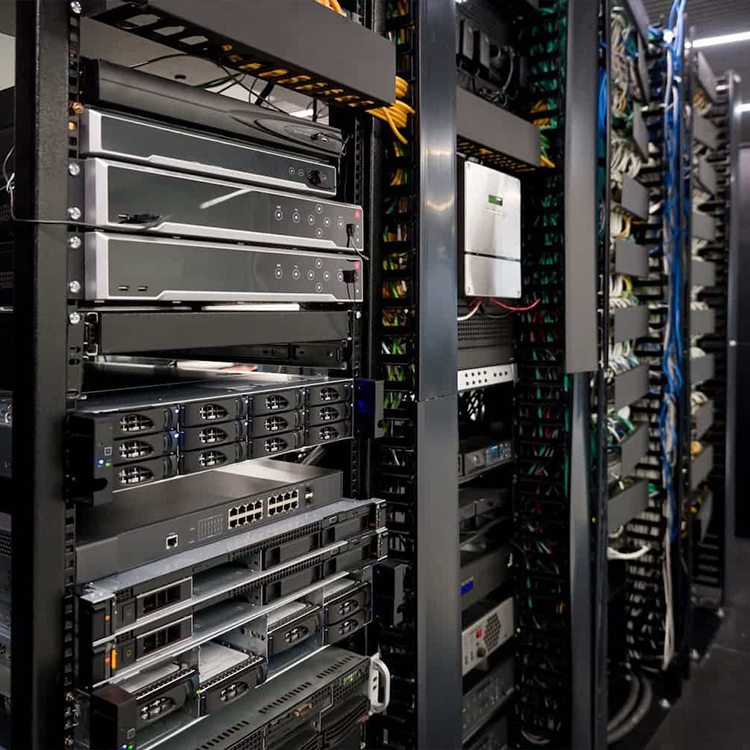
Not hidden in an air-conditioned IT room. Not always sitting neatly inside a 19-inch rack.
They are being installed beside production equipment, inside machine structures, on factory walls, in inspection stations, security systems, edge-computing nodes, and automation cabinets where available space is measured in centimeters.
That changes the chassis problem.
According to IMARC Group’s industrial PC market research, the global industrial PC market reached about USD 5.6 billion in 2025 and is projected to reach USD 8.0 billion by 2034, representing a 3.86% CAGR from 2026 through 2034. Asia-Pacific accounted for more than 38.3% of the market in 2025.
The growth number matters.
The engineering details matter more.
This case study walks through a representative wall-mounted industrial computer project and the decisions that turn a metal box into a serviceable industrial computing platform. The configuration is based on the kinds of requirements used across iSTONECASE wallmount platforms; customer-specific commercial information is intentionally omitted.
The Project Brief Looked Simple
The starting request could be summarized in one sentence:
We need an industrial computer that can mount directly beside the machine instead of occupying rack or floor space.
Sounds easy.
Then the component list arrives.
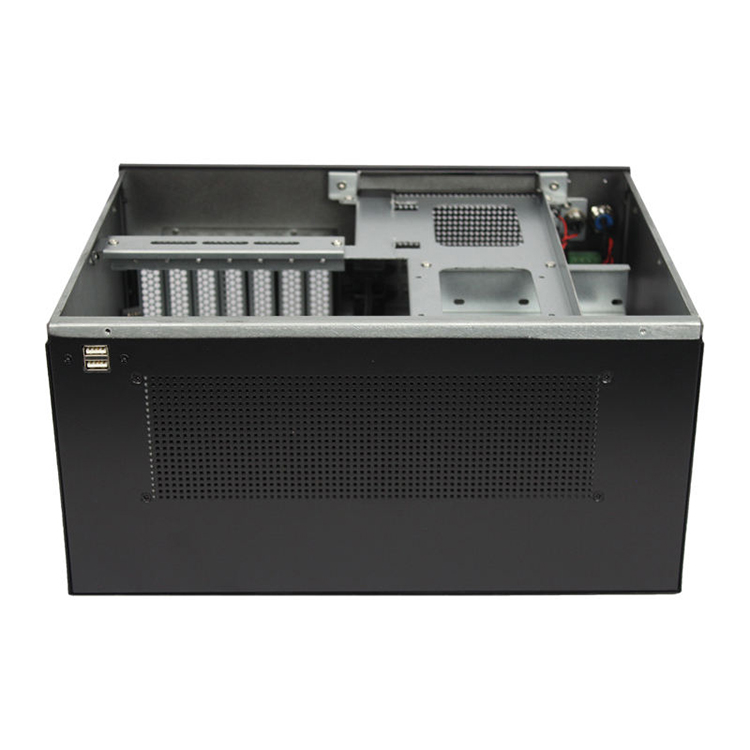
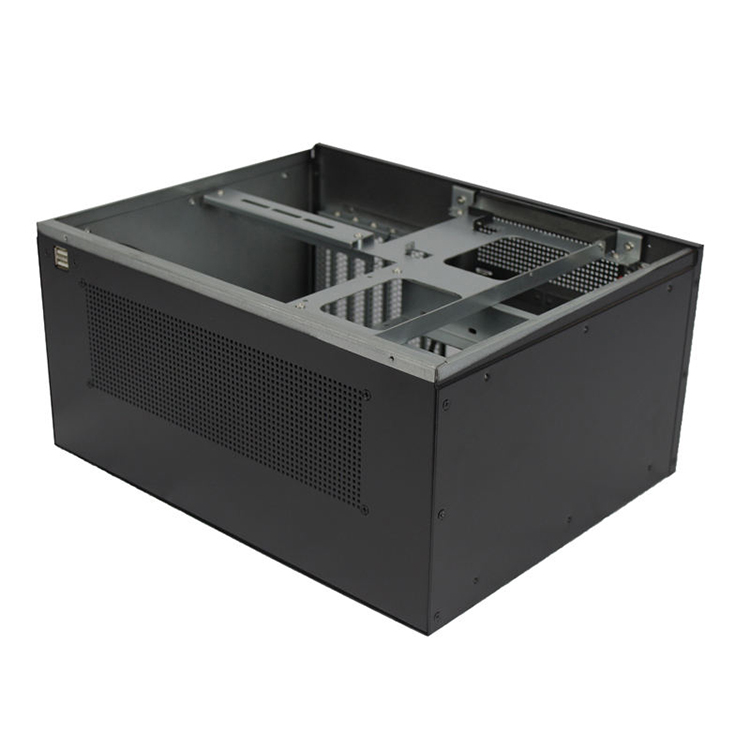
The system needs a full industrial motherboard, several PCIe cards, local storage, front-access USB, serial connectivity, adequate CPU cooling, an AC power supply, dust control, wall brackets, service access, and enough structural stiffness to remain stable after installation.
Now it is not just a box.
A buyer considering a Wall Mounted Industrial Computer has to think about the complete installed system: wall position, nearby machinery, cable entry, airflow direction, maintenance clearance, contamination, heat sources, and who will actually service the machine three years later.
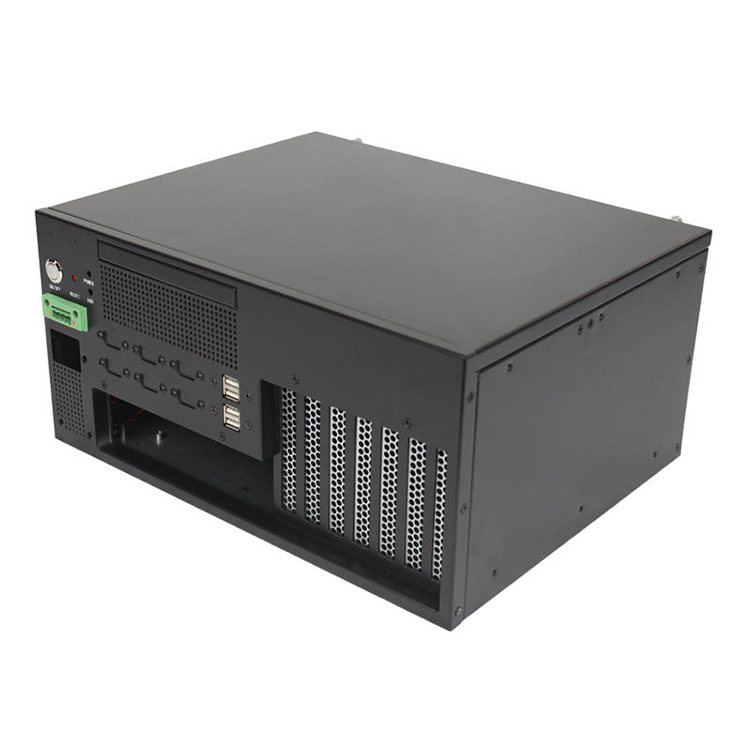
For this class of project, a six-slot architecture is a useful reference point. iSTONECASE’s published ISC-WMS38CD M platform, for example, uses a 330 × 410 × 200 mm enclosure, six PCIe positions, a 120 mm fan, ATX PSU support, a 13.3-inch display, storage positions, and CPU cooler clearance up to 165 mm.
That published platform is not a universal specification.
It demonstrates the design problem.
Even a relatively compact wall-mounted system has to accommodate far more than a motherboard.
Project Requirements and the Engineering Risk Behind Each One
Project Requirement
What the Buyer Initially Sees
What the Chassis Engineer Has to Check
Wall mounting
Add mounting brackets
Loaded weight, bracket location, wall structure, service clearance
Industrial motherboard
Board fits enclosure
Standoffs, rear I/O, CPU cooler, RAM, connectors, cable access
PCIe expansion
Enough slots
Card length, height, connector direction, retention and airflow
PSU reserve, PCIe clearance, ventilation and internal access
That last column is where projects live or die.
We Started With the Installation, Not the Sheet Metal
The wrong first question is:
How small can we make the chassis?
The better question is:
How much space can the complete installed computer actually occupy?
Those sound similar.
They are not.
A 300 mm-deep chassis may physically fit on a wall, yet become impossible to service when the power cable needs another 70 mm behind it. A side panel may technically open but hit a nearby machine guard. A front-facing connector may become unreachable after conduit is installed.
This is why Industrial PC Enclosure Design has to start with installation conditions, component drawings, service access, airflow, cables, and environmental exposure before CAD geometry is frozen.
We treat the chassis envelope as three different volumes:
Component volume — the physical electronics.
Cable volume — connectors, bend radius, harnesses, and tie-downs.
Service volume — the space a human needs to remove, unplug, inspect, or replace those parts.
Ignore number three and you can produce a beautiful CAD file that technicians hate.
Wall Mounting Changes the Mechanical Load
A desktop computer sits on a horizontal surface.
A wall-mounted computer hangs from its mounting structure every hour of its service life.
Gravity suddenly becomes part of the enclosure specification.
Heavy power supplies, storage devices, expansion cards, displays, and steel panels all load the wall interface. If the internal mass is concentrated far away from the mounting surface, that load also creates leverage.
So we look at more than total weight.
We review:
bracket thickness;
bracket bend geometry;
fastener locations;
enclosure center of mass;
internal component distribution;
vibration from nearby machinery;
access during installation;
wall or machine-frame attachment points.
Tiny brackets on a heavy enclosure?
Bad trade.
A few cents saved in sheet metal can create a much more expensive installation problem.
Then Came the Thermal Problem
Fans are easy to specify.
Airflow is harder.
A fan manufacturer can give you a free-air airflow figure. That does not mean the same amount of air will move through an assembled industrial computer containing filters, drive brackets, cables, heatsinks, PCIe cards, perforated panels, and a power supply.
Resistance changes everything.
That lesson shows up repeatedly in the field.
Recently, while reviewing automation discussions, I came across an old but painfully relevant post on Control.com. An engineer described machines with PC-based controls installed in small enclosures alongside several servo drives. The drives generated substantial heat. If the ventilation filters were not changed on schedule, the PC could overheat quickly.
Here is the nasty part.
The machines did not simply shut down.
They behaved erratically, making the thermal problem far less obvious to maintenance staff. The engineer was looking for a way to monitor filter condition before restricted airflow pushed temperatures too high.
That story has stuck with me because it describes exactly how industrial failures become expensive.
Nothing looks dramatic.
The machine simply becomes weird.
The Filter Is Part of the Cooling System
Dust filters are often listed as accessories.
I disagree with that framing.
If the system depends on filtered intake air, then the filter is an active part of the thermal architecture.
It changes:
airflow resistance;
fan operating point;
dust accumulation rate;
inspection frequency;
service procedure;
long-term cooling performance.
A clean prototype in an engineering room can perform beautifully.
Six months later, inside a factory?
Different story.
That is one reason iSTONECASE also offers compact filtered configurations. The ISC WMS31W M, for example, combines a removable dust filter with an 80 × 25 mm cooling arrangement in a 230 × 230 × 155 mm wallmount enclosure designed for compact industrial and edge deployments.
For a Custom Industrial PC Chassis, we therefore discuss filter access during the design phase rather than after the first prototype. The site’s OEM/ODM workflow specifically covers thermal and mechanical design, prototyping, component-fit review, manufacturing, and testing before volume production.
If changing the filter requires removing the computer from the wall, somebody eventually will not change the filter.
Design around human behavior.
Not wishful thinking.
Ambient Temperature Cannot Be an Afterthought
There is another trap.
Some buyers specify the CPU temperature they want but cannot tell us the maximum ambient temperature around the installed chassis.
Those are not independent numbers.
Current industrial Box PCs show just how wide real deployment targets can become. Kontron states that its KBox A-151 industrial computers can use wall mounting or DIN-rail mounting and operate from 0°C to +60°C, with optional configurations extending from -40°C to +60°C.
That does not mean every wall-mounted industrial PC should automatically be rated to -40°C.
It means temperature range belongs in the project brief.
A computer installed in a climate-controlled inspection room has one job.
A system mounted beside heat-producing drives, furnaces, compressors, motors, or outdoor equipment has another.
Same motherboard.
Very different enclosure.
PCIe Slots Are Not Just Rectangular Openings
“Six PCIe slots.”
Fine.
Which cards?
This question can save weeks.
A network card may be short and relatively easy to cool. A frame-grabber card may have a tall heatsink. An industrial I/O board may require multiple external connectors. A GPU can introduce a large cooler, substantial weight, auxiliary power cables, and a much higher heat load.
The slot count tells us almost nothing about the 3D geometry.
Current commercial wallmount systems illustrate where this is going. Advantech’s IPC-730 desktop/wallmount chassis is designed around ATX/mATX motherboards, an ATX 3.0 high-wattage PSU, front-access I/O, and GPU support up to 450 W.
A 450 W GPU is obviously not required in every automation computer.
The useful point is that “wallmount” no longer means “low-power office PC bolted to a wall.”
The form factor can now overlap with machine vision, AI inference, image processing, security analytics, and other workloads that make expansion and thermal planning much tougher.
Cable Bend Radius Nearly Broke the Layout
This is one of those details people laugh at until it ruins a prototype.
Cables need space.
A connector can fit perfectly inside the chassis while the mating cable cannot physically bend without hitting the lid, fan, drive cage, or neighboring card.
So we stopped evaluating components as bare dimensions.
For every important connection, the design review considered:
connector body length;
mating plug;
strain relief;
cable diameter;
bend direction;
minimum bend space;
installation sequence;
removal sequence.
It sounds painfully detailed.
Good.
Industrial chassis design should get painfully detailed before tooling and production start.
A buyer browsing the site’s Industrial Computer Chassis range can see why slot count, motherboard size, cooling, storage, and front-panel features vary across the 2-, 4-, 6-, and 7-slot wallmount families rather than being forced into one enclosure.
Serviceability Became a Design Requirement
This is where sourcing teams and maintenance teams often want different things.
Procurement sees:
unit cost;
tooling;
MOQ;
lead time;
shipping weight.
Maintenance sees:
Where is the filter?
Can I reach the SSD?
Do I need to unplug five cables to replace one fan?
Does the chassis have to come off the wall?
Can I remove an expansion card without pulling the motherboard?
Can I see status indicators without opening the case?
Both teams are right.
The chassis has to satisfy both.
For our representative project, that meant giving front access more importance than it would receive in a conventional desktop enclosure.
Front-facing USB, status indicators, controls, removable filters, and accessible fasteners are not glamorous.
They save time.
And time is what the technician remembers.
Here Is the Unpopular Opinion: A Higher IP Rating Can Be the Wrong Answer
This one tends to annoy people.
A higher IP rating does not automatically mean a more reliable industrial computer.
Sometimes it produces a thermal problem while trying to solve an environmental one.
Seal every opening and heat becomes harder to remove. Add filtered ventilation and the enclosure is no longer simply sealed. Add fans and you add moving parts. Add a heat exchanger or enclosure air conditioner and you add cost, size, maintenance, and power consumption.
There is no free lunch.
A Reddit r/PLC discussion gives a more brutal example. One user described trying an IP65-rated panel PC in a washdown environment; the unit reportedly survived about a week before cleaners damaged it, even though it was installed behind a plexiglass plate. Other engineers in the discussion pointed toward stronger washdown protection and better installation practices.
The lesson is not “IP65 is bad.”
The lesson is: the rating has to match the actual exposure.
Water droplets, high-pressure washdown, conductive dust, oily mist, ambient heat, indoor factory dust, humidity, and outdoor weather are different problems.
So I would rather approve an enclosure with an appropriate protection strategy, verified thermal behavior, maintainable filtration, and sensible service access than over-specify a rating because it looks impressive in an RFQ.
We Did Not Freeze the Design After the First CAD Model
CAD approval is not production approval.
That distinction matters.
Once the first layout exists, the project needs a mechanical review from several angles.
Component Fit
Does every selected motherboard, PSU, storage device, expansion card, cooler, and connector physically fit?
Assembly Sequence
Can somebody actually build it?
There is a difference.
If the motherboard blocks access to a PSU screw that must be installed first, the components technically fit but the assembly process fails.
Wall Installation
Can installers reach the mounting holes while supporting the chassis?
Can the enclosure be mounted before the internal computer is installed?
Can cables be connected after mounting?
Airflow
Does intake air reach the components that need it, or does it take the path of least resistance and bypass the hot zones?
Maintenance
Can filters, storage, fans, and common failure items be serviced without dismantling half the machine?
Manufacturing
Can the design be bent, welded, punched, coated, assembled, and inspected repeatedly without turning every unit into a hand-fitted prototype?
This stage is where a lot of “small” changes happen.
Small changes are cheap now.
They are painful after 500 units.
Prototype Testing Should Be Boring
A good prototype review is not a product photoshoot.
We want to find annoying things.
We want to discover that one connector is hard to reach.
We want to see that a cable rubs against an edge.
We want to notice that the filter cover takes too long to remove.
We want to catch a fan cable hanging in the airflow.
We want the mounting bracket to flex now, not at the customer site.
Boring discoveries save money.
For projects that need more expansion, a six-slot chassis can provide space for additional PCIe cards and interfaces, while a smaller two-slot wallmount design may make more sense where footprint and simplicity matter more. iSTONECASE currently publishes both compact and expanded wallmount platforms rather than treating wall-mounted IPCs as a single fixed format.
The same engineering discipline also appears in our related Industrial PC Case Study, where complete system architecture—power, cooling, cards, cabling, structure, and service access—is considered before enclosure dimensions are frozen.
Different workload.
Same mistake to avoid.
Designing the box before understanding the system.
What Changed From Concept to a Production-Ready Chassis
By the time the design becomes production-ready, the biggest improvement usually is not visual.
It is uncertainty reduction.
The early project says:
“Six slots, wall mount, industrial PC.”
The production package says:
exact motherboard;
exact mounting-hole pattern;
exact CPU cooler envelope;
exact PCIe card dimensions;
exact storage layout;
defined PSU format;
defined airflow direction;
defined filter access;
defined front I/O;
defined mounting arrangement;
defined cable exits;
defined material and thickness;
defined finish;
defined service panels;
defined inspection points.
That is a completely different level of information.
And it is what allows repeat production.
What Buyers Should Send Before Requesting a Wallmount IPC Quote
Do not send this:
Need industrial PC enclosure. Please quote.
Send this instead:
motherboard manufacturer and model;
motherboard mechanical drawing;
CPU and cooler details;
DIMM height;
PCIe card models and quantities;
card length, height, and width;
PSU type and wattage;
storage type and quantity;
I/O list;
cable-entry direction;
maximum enclosure dimensions;
wall or machine mounting method;
maximum ambient temperature;
dust, water, oil, or chemical exposure;
preferred cooling method;
filter requirements;
service-access requirements;
annual quantity;
target market;
compliance requirements;
target cost if available.
The supplier now has something to engineer.
That changes the conversation from “What box can you sell us?” to “What system do we need to manufacture?”
What This Project Taught Us
The most important lesson was not about sheet metal.
It was about interfaces.
Hardware interfaces.
Thermal interfaces.
Mechanical interfaces.
Human interfaces.
A wall-mounted industrial computer sits at the intersection of all four.
Make the enclosure slightly too small and cabling becomes painful. Put the intake in the wrong location and a filter becomes a thermal bottleneck. Hide the SSD behind three assemblies and a five-minute repair turns into an hour. Save material on the mounting structure and the entire computer feels unstable.
None of those failures look dramatic in a spreadsheet.
That is why experienced OEM buyers spend so much time on engineering review before approving volume production.
The Wall Mount Industrial Chassis is not the packaging around the computer.
It is part of the computer.
FAQs
What is a Wall Mount Industrial PC?
A Wall Mount Industrial PC is an industrial computer designed to attach directly to a wall, machine frame, cabinet structure, or similar vertical surface.
Unlike a standard desktop PC, its enclosure, mounting brackets, airflow, cable exits, expansion support, and service access should be engineered around vertical installation and industrial operating conditions.
Why use a wall-mounted industrial computer instead of a rackmount PC?
A wall-mounted PC saves rack and floor space while placing computing hardware closer to the equipment it serves.
It can be a strong fit for automation, machine vision, security, edge computing, test equipment, and factory-control applications where a conventional 19-inch rack is unavailable or unnecessary.
What should I check before choosing a Wall Mount Industrial Chassis?
Check motherboard dimensions, PCIe cards, PSU, storage, CPU cooler, airflow, ambient temperature, cables, mounting structure, dust exposure, and maintenance access.
Do not select the enclosure from motherboard form factor alone. The assembled system—including connectors and cables—determines the real space requirement.
How many PCIe slots does an industrial wallmount chassis need?
Use the number required by the actual expansion-card architecture plus realistic future capacity.
Compact control systems may only need two slots, while machine vision, communications, data acquisition, security, or specialized industrial systems may justify four, six, or seven expansion positions.
Does adding more fans always improve industrial PC cooling?
No. More fans do not guarantee better cooling.
Real cooling depends on airflow direction, inlet and outlet area, filters, internal resistance, fan pressure capability, cable obstruction, component placement, and ambient temperature. A poorly planned system can contain several fans and still develop hot spots.
Should a wall-mounted industrial computer use dust filters?
Use filters when airborne contamination creates a realistic risk and filtered ventilation suits the thermal design.
Filters can protect internal hardware, but they also restrict airflow and require maintenance. The enclosure should make filter inspection and replacement easy enough that technicians will actually do it.
Is a higher IP rating always better for an industrial PC enclosure?
No. The appropriate rating is better than the highest rating.
Environmental protection must match the real exposure while still allowing the system to manage heat. Dust, occasional water exposure, outdoor weather, and high-pressure washdown require different enclosure strategies.
What information is needed for a Custom Industrial PC Chassis project?
Provide component drawings, enclosure limits, expansion cards, power architecture, cooling targets, I/O, cable requirements, mounting method, operating environment, maintenance needs, volume, destination market, and commercial targets.
More complete inputs reduce redesign cycles and make prototype evaluation far more useful.
Should I prototype a Wall Mount Industrial PC chassis before mass production?
Yes. Prototype before volume production whenever the enclosure is customized.
The prototype should verify component fit, assembly sequence, mounting, airflow, cable routing, filter access, serviceability, panel alignment, structural behavior, and manufacturability—not only appearance.
What is the biggest mistake in industrial PC enclosure design?
Designing the enclosure before the complete system architecture is defined.
A motherboard outline is not enough. Expansion cards, power cables, storage, cooling, connector access, mounting orientation, service procedures, and operating environment all influence the final chassis geometry.
Mark Lee - Founder & Server Chassis OEM/ODM Specialist
Mark Lee is the founder of ISTONECASE, with 20 years of experience in the server chassis industry. He specializes in OEM/ODM solutions for GPU and AI, rackmount, industrial, wallmount, NAS, Mini-ITX and multi-node chassis. His expertise supports customized hardware projects for data centers, AI computing, enterprise storage, edge computing, networking and industrial applications.